Dynamo Team Note:
At the close of 2025, the Dynamo community gathered for the “Good Old-Fashioned Holiday Modeling Contest with Dynamo”, inviting members to create festive and imaginative projects using Dynamo. You can read about the original contest here: https://forum.dynamobim.com/t/dynamo-challenge-good-old-fashioned-holiday-modeling-contest-with-dynamo/113324
We are delighted to share this guest blog post featuring the winning entry from community member, Alien. This entry is the “Auld Lang Syne” Player, a playful and technically inventive way to ring in the New Year with Dynamo.
What Does It Do?
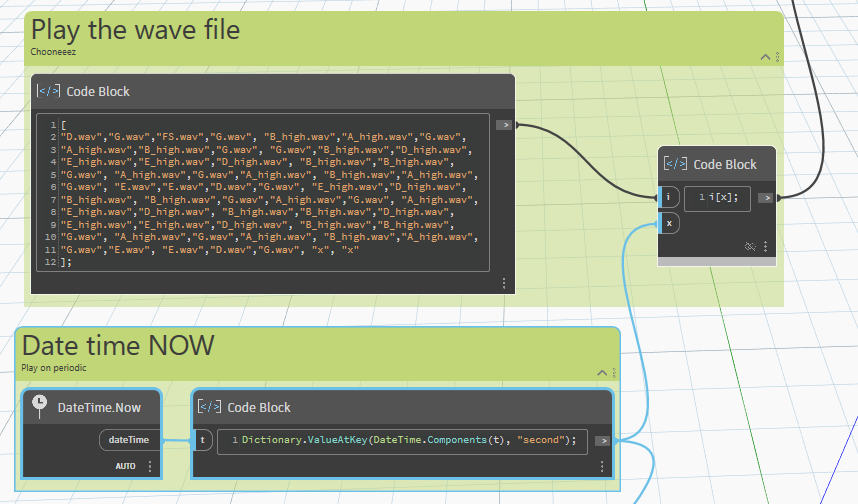
Dynamo plays Auld Lang Syne, the traditional Scottish New Year’s song, by iterating through an ordered list of sound files.
As the tune plays, a miniature piano — created entirely with Dynamo geometry — lights up the correct key in real time, colouring each note as it sounds.
It’s part technical experiment, part festive absurdity… and entirely Dynamo.
🎬 Video (sound on!)
Setup
-
Created on a Windows 11 PC
-
Using Dynamo for Revit 2025
-
Graph uses OOTB (Out of the Box) nodes
-
Includes the Dynamo Text package
-
Used only to write “Happy 2026”
-
Does not affect the tune
-
Why?
Dynamo forum competitions tend to appear quietly — often in the middle of the night for those of us in Europe.
There’s usually a delightfully vague brief and absolutely no sensible reason to attempt the challenge.
But we do it anyway.
Because it’s fun.
Because you might learn something.
Because suddenly Dynamo is being asked to do something it was never designed to do — using tools meant for geometry, data, and order.
The task isn’t about usefulness or optimisation.
It’s about:
-
Taking a vague idea
-
An ordered list
-
A Python node
And seeing whether something technically absurd can be made to happen.
In this case?
Dynamo playing Auld Lang Syne.
Thought Process
As a Brit, New Year and Auld Lang Syne are basically synonymous.
It’s on the TV.
It’s on the radio.
It’s being sung somewhere slightly out of tune every single year.
Just as you can’t really have Christmas without mince pies, you can’t have New Year without Auld Lang Syne turning up — whether you asked for it or not.
I’d already experimented with text-to-voice in Dynamo a couple of years earlier, so this wasn’t a huge leap into the unknown.
The process:
-
Grab sheet music
-
Translate notes into text Dynamo could understand
-
Name the
.wavfiles to match-
C.wav -
FS.wav -
C_high.wav -
etc.
-
After that, it was mostly:
Wire it together.
Hit Run.
See if Dynamo would actually play along.
How It Works
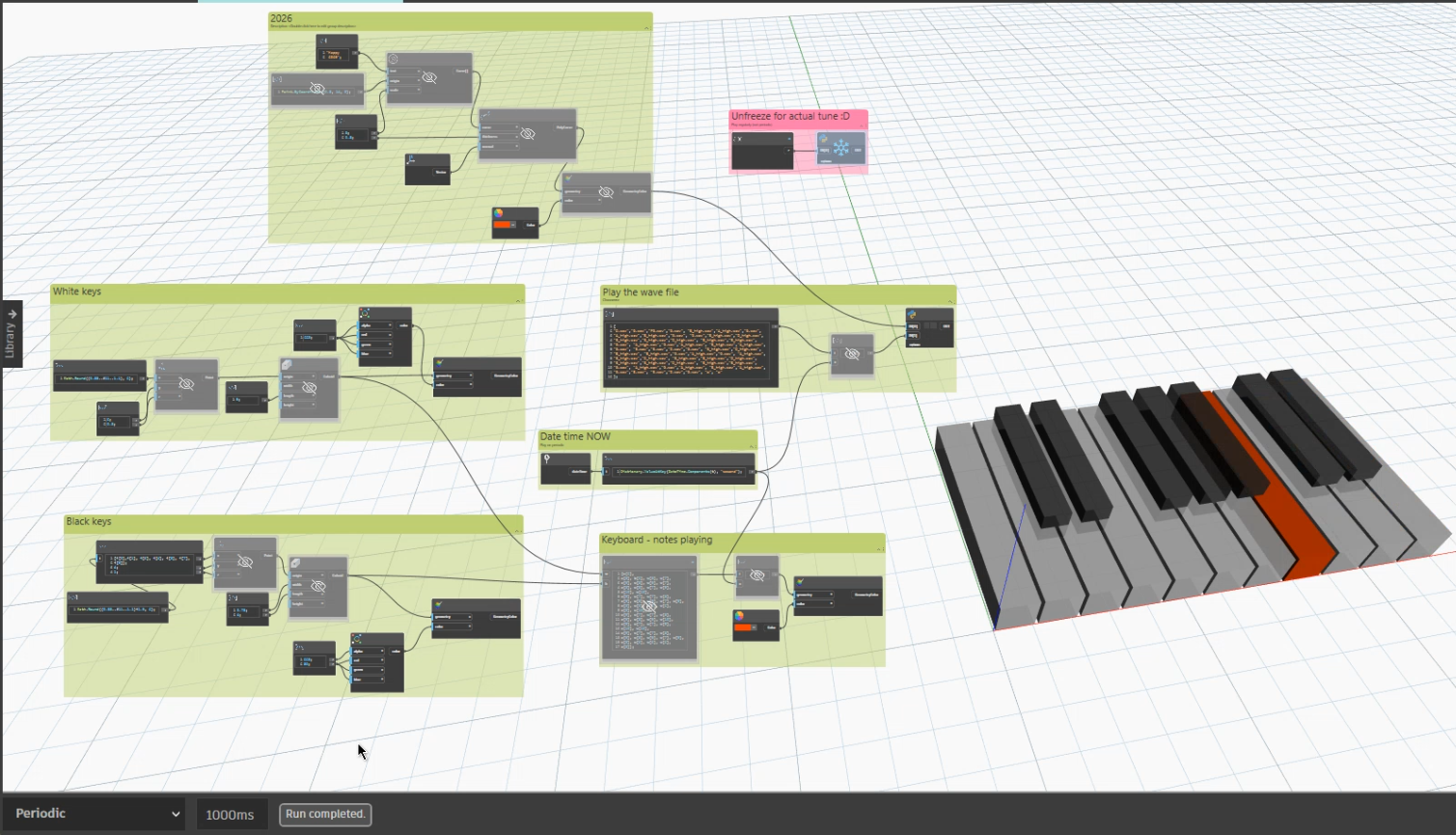
🎹 Piano Geometry
The piano keys were created using Cuboids in Dynamo.
🎼 Writing the Tune
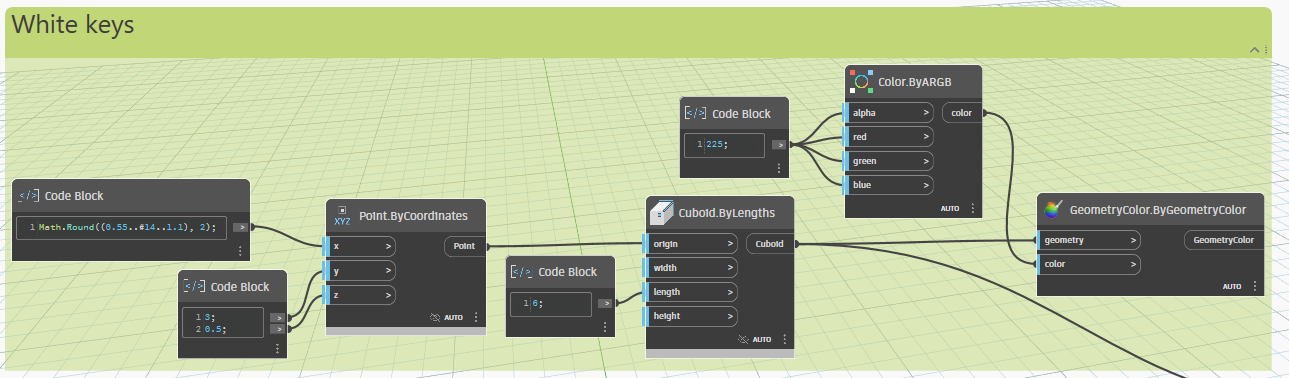
The tune itself was written in text.
DateTime.Now was used to step through the ordered list of notes.
🐍 Python + Windows Sound
The note names were mapped to file locations in a Python node.
Windows’ winsound module was used to locate and play the corresponding .wav file for each note.
Upgrade
Since the original competition entry, the code has been upgraded so you can now play a piano inside Revit.
🔗 Scripts available on GitHub:
https://github.com/MoosiestMoose
Requirements
-
Windows operating system
(required forwinsound) -
Dynamo Run Mode: Periodic
-
Sound files (
.wav) stored locally-
Each file contains a single piano note
-
Files must follow consistent naming
-
Example filenames:
C.wav

D.wav

E.wav

FS.wav

C_high.wav

D_high.wav
Step-by-Step Instructions
-
Download the
.wavfiles and store them locally. -
Open Dynamo.
-
Open the “Py: play selected note” Python node.
-
Enter the folder path where your
.wavfiles are stored. -
Set Dynamo to Periodic.
-
Pour a whiskey.
-
Imagine it’s midnight on 31st December.