In recent posts, we have looked at various ways to implement Generative Design in your workflow for everyday tasks. These include (but are not limited to) topics such as, Laying Out Sheets in Revit, Verifying Viewpoints for Camera Placement, and Finding Optimal Room Tag Locations.
For this post, we wanted to take a look at a few of the ways that generative design workflows can help you collaborate with others. As we always say, “Generative Design is a process”, and with it being a process, there are numerous opportunities to collaborate. In this post, we are going to take a look at 5 different ways.
1. Working With Owners to Find What is Important
One use-case of Generative Design that may not have been thought of a few years ago is, laying out a space to account for social distancing. Jeff Hanson demonstrated a way to do this in the case of a restaurant layout.
Some of the most interesting aspects of this are the questions that you, as the designer, need to consider.
A few ideas come to mind.
- Occupancy requirements at the time of design
- Spacing requirements based on current health requirements
- Path of travel with consideration for the above requirements.
- Entrances and exits
Working with your client/owner is of utmost importance when it comes to authoring Generative Workflows. For some owners, the number of tables might be what is important, while for others creating a more private space with more circulation space is more important. All of these goals are able to be used in your Generative workflows.
Additionally, Generative Design offers several ways to test your designs. Randomization is great for initial exploration, with optimization following to further refine the resutls.
2. Working with Multiple Stakeholders with Competing Goals
When thinking of what to optimize against for Generative Design, it is helpful to have clear succinct goals. However, what happens when you have multiple stakeholders with competing goals? This constraint is exactly what happened in 2017 when Van Wijnen partnered with The Living to apply generative design to the scale of a city.
Working with various project stakeholders, the team managed to identify seven distinct goals.

Image Credit https://www.autodesk.com/autodesk-university/article/Generative-Urban-Design-Collaboration-Between-Autodesk-Research-and-Van-Wijnen-2019
Using Generative Design and the above goals, Van Wijnen was able to explore multiple outcomes on a very large scale.
3. Identifying Goals through Measurement and Simulation
In addition to working with stakeholders, you can begin to identify goals (for use in Generative Design) through measurement and simulation. When it came time to design Autodesk’s Toronto Office, the team turned to Generative Design, known as Project Discover.

Image Credit: https://www.autodesk.com/research/publications/user-satisfaction-for-generative-design
The design goals consisted of:
- adjacency preferences
- workstyle preferences
- buzz*
- productivity
- daylight
- views to outside
What is Buzz?
Admittedly buzz is an interesting word choice when describing a goal. Naturally, the definition of this term has been asked for numerous times. Generally speaking, buzz is comprised of metrics and elements that contribute to interaction or other spontaneous experiences in a space. Check out the image below for a comparison of the metrics that were used for Project Discover.

As you can see in the image above, sometimes goals have tradeoffs. Something that is great for buzz, might not be the best for productivity. Identifying these goals at the beginning is key.
For this article, we want to focus on the goals that were direct outcomes of measurement adjacency and workstyle. The team surveyed employees for these goals to find their adjacency and work style preferences.
Adjacency is a measurement of travel distance for an employee’s preferred amenities or neighbors. Work style is a bit more complex, but one of the biggest considerations is in regard to distractions (noise, commotion, and other common distractions).
For a more in-depth overview of this process, please check out the whole paper here: https://www.autodesk.com/research/publications/user-satisfaction-for-generative-design
4. Communicating Design Intent
Using Generative Design, we can quickly iterate and get results using the knowledge gained from optimization runs, etc, to tell the story and have discussions with the design team.
In a previous post, we discussed different ways of telling your story with generative design. Within all Generative workflows is data. This data is extremely valuable for our optimization routines, but it can be used in different ways as well.
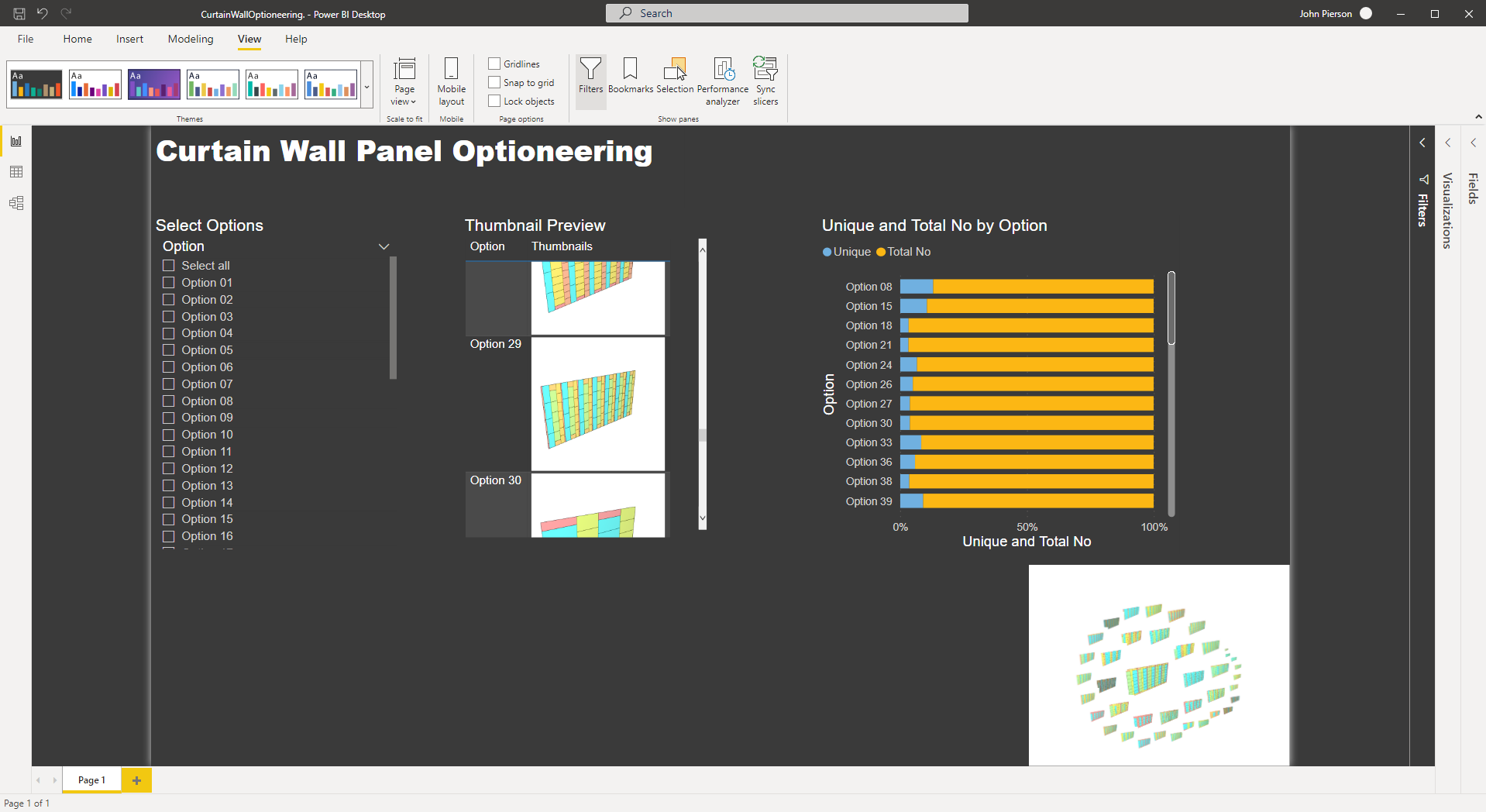
Using a platform like PowerBI, we are able to visualize these design solutions in a shareable link for easier communication of design intent.
5. Working with Contractors to Reduce Material Use & Cost
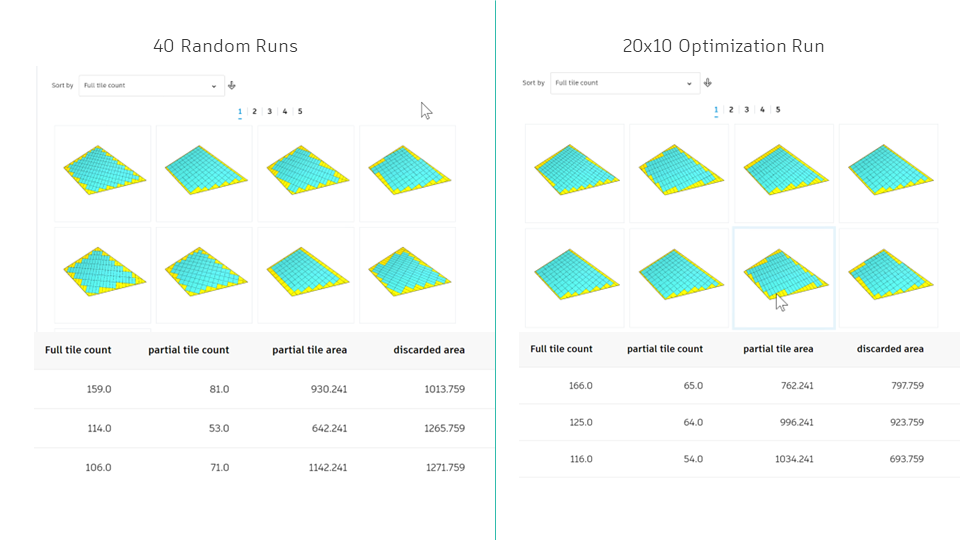
More often than not, we let the tools drive our layouts. Take Revit ceiling grids for instance. Revit ceiling grids will layout in a room in a way that seems to work well. How do you know you are reducing material usage and optimizing for the least amount of cut panels? You don’t. This is where generative design comes into play. Below is a preview of a graph that will run an optimization routine for the least amount of wasted material. This is great for ceiling tiles, or raised flooring. (Side note: years ago a colleague was working on a raised flooring project and it would have been amazing to optimize that routine and auto-place all the components)
In an upcoming post, we are going to break down the workflow deeper and provide sample files.