Hello Dynamo enthusiasts,
We are excited to introduce a new addition to the Dynamo Forma package: the Select Proposal Elements node. This node is designed to remove one of the biggest blockers in your workflow; It allows you to bring Forma elements into Dynamo without the need to open Forma at all, making it easier than ever to focus on your scripts and algorithms. It also eliminates network connections issues while using Forma Dynamo Player that surface occasionally.
Why we made it
Previously, running Dynamo scripts in Forma was a repetitive process. You had to:
- Prepare your script in Dynamo without Forma knowledge.
- Run your graph in Dynamo Player within Forma to fetch data.
- Switch back to Dynamo to work on your graph now that it has Forma data.
- Return to Dynamo Player within Forma to run your graph and test the results.
This back-and-forth introduced a new paradigm to working within Dynamo from Forma; The need to run from inside Forma to send data to Dynamo or send data from Dynamo back.
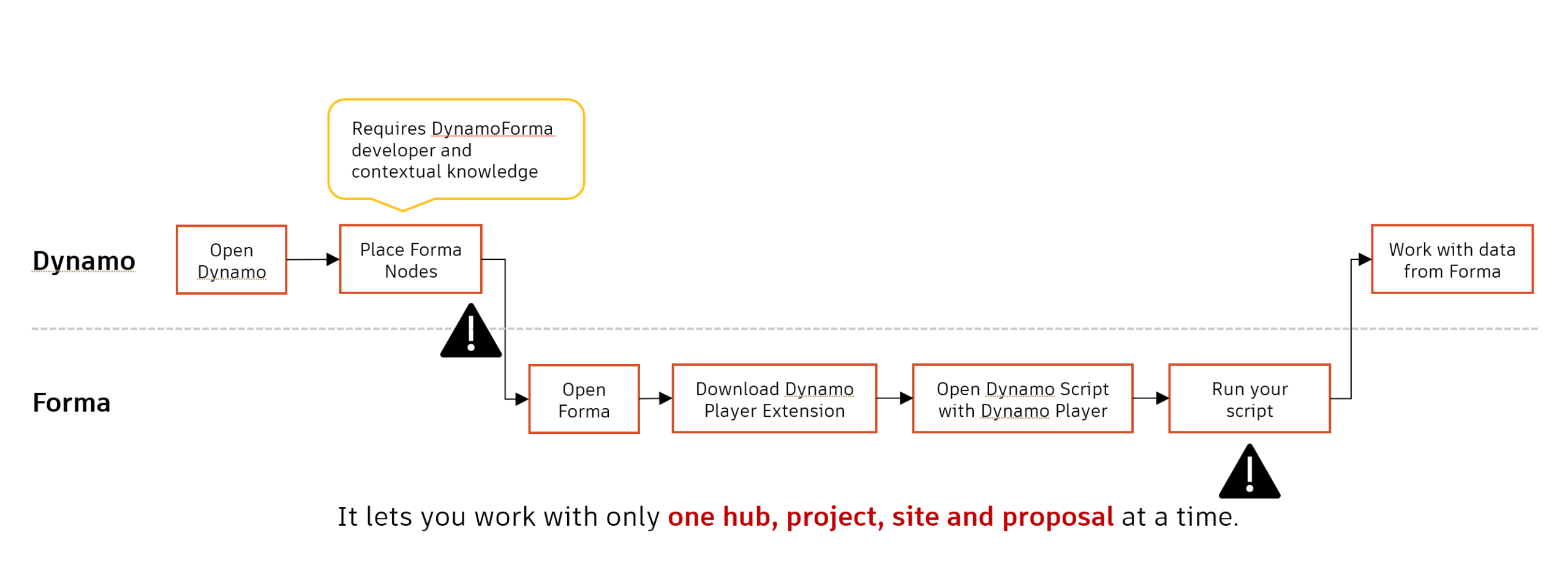
The current workflow for setting up Dynamo-Forma connection
What the node does
The Select Proposal Elements node allows you to:
- Bring Forma elements to Dynamo without running your script in Forma.
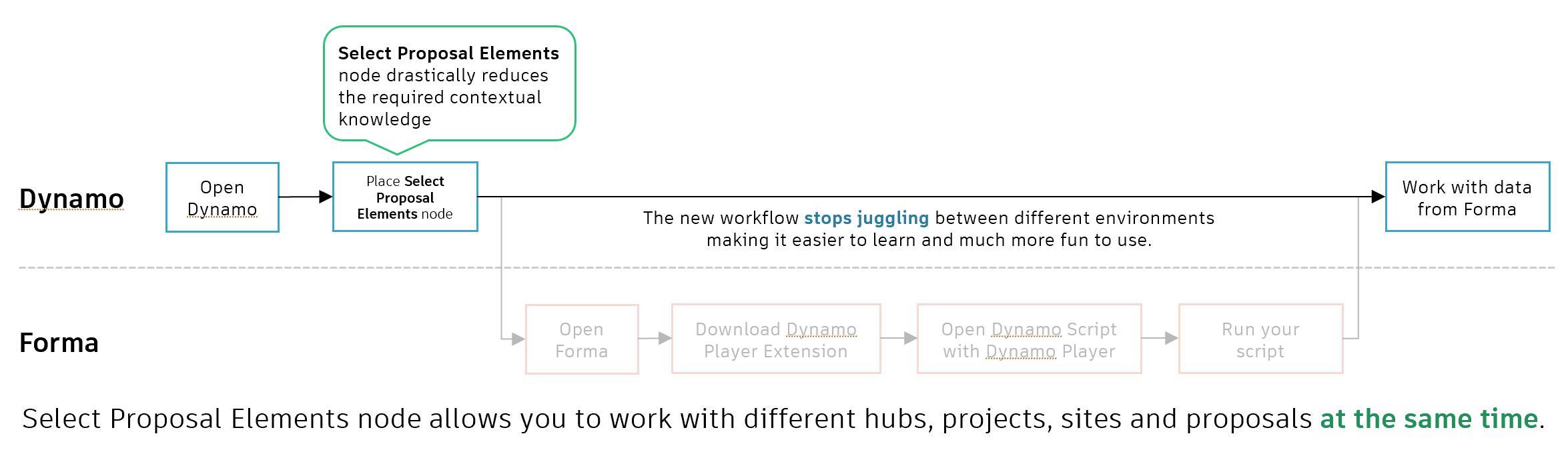
- Eliminate the need for unnecessary filter nodes by letting you pick the elements you want to work with directly.

The Select Proposal Elements node replaces multiple nodes making your graph cleaner
- Visualize Forma elements in Dynamo within their project context.
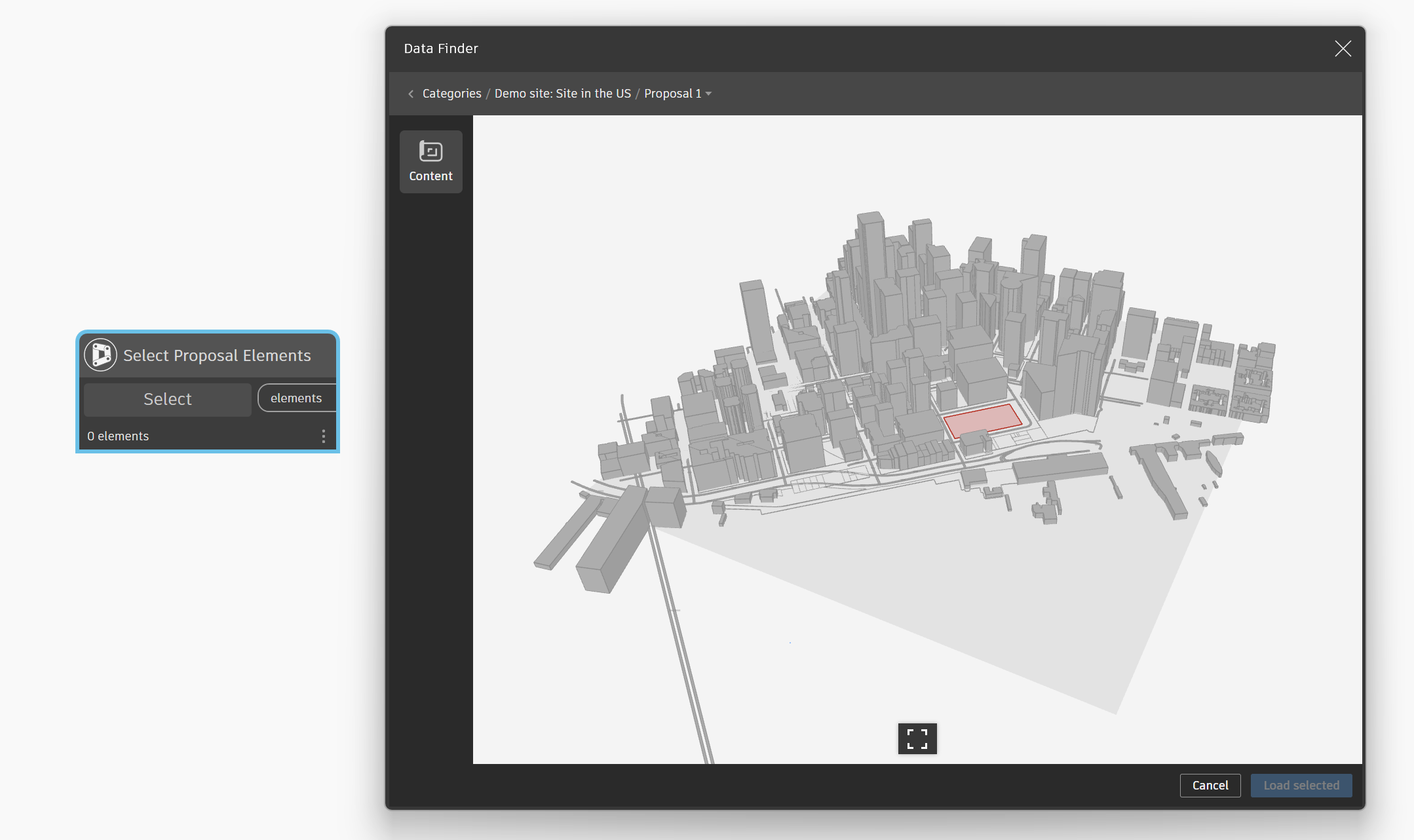
Review your Forma proposal in Dynamo
- Work seamlessly across multiple hubs, projects, sites, and proposals.
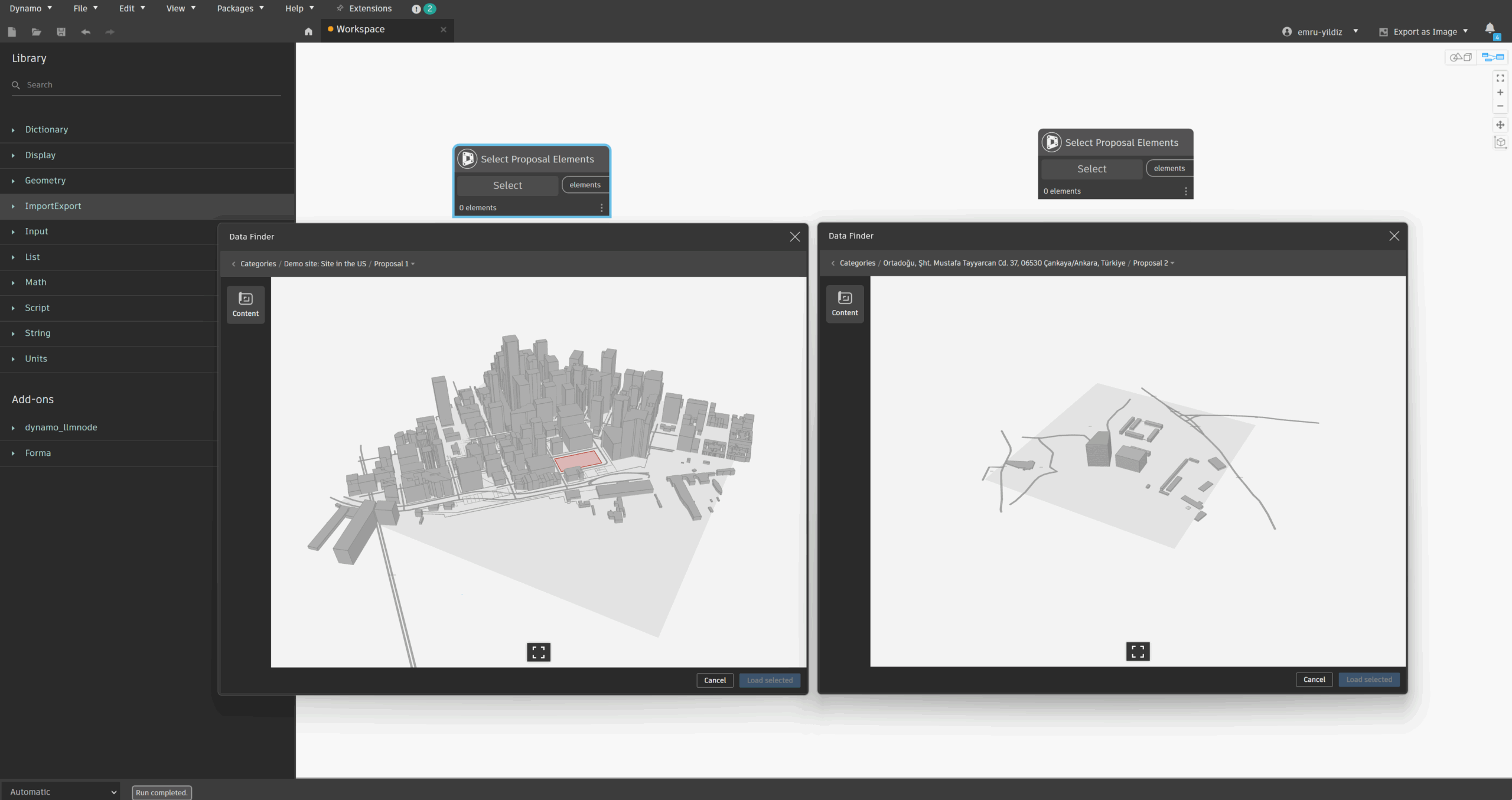
Target multiple Forma proposals within a single Dynamo workspace
-
- Keep your element selections when sharing your script.
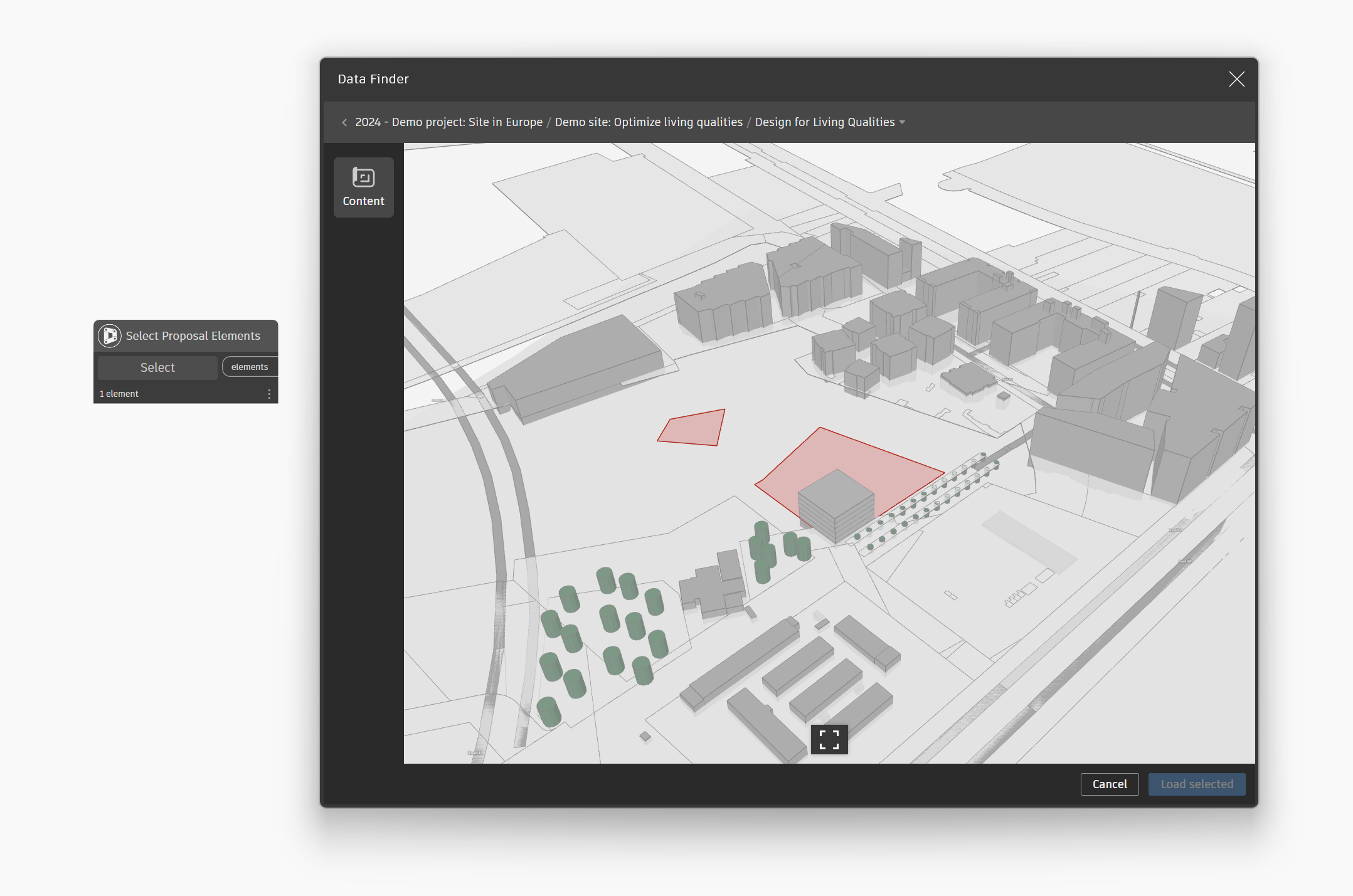
Replace the Select Proposal Elements node to get the latest version of your Forma proposal
- Prepare for future integrations with Data Exchange and AEC Data Model environments.
Key workflows
Here are some examples of how you can use the Select Proposal Elements node:
- Work with what you need, not everything
You can import only the elements you need from Forma and work on them in Dynamo using a simplified node layout to create your designs. This helps you stay focused on the design logic instead of setup complexity.
By selecting only what you need, you can create outcome-based workflows
- Reviewing updates in Forma projects
Use the node to check design updates in your Forma proposal without leaving Dynamo. This allows you to keep the design context visible while refining your workflow.
Replace the Select Proposal Elements node to get the latest version of your Forma proposal
Known limitations
We are starting with Forma as the first supported environment, but this is just the beginning.
Here are the current limitations:
- Missing water texture.
-
You cannot select an entire building at once if it contains floors in the node’s 3D viewer environment. Currently, the selection is limited to floor-level elements.
To select all floor elements, you can either:-
Use the Hierarchy View and select the parent element of the floors, or
-
Use the Shift selection method in the By Category View — hold Shift and click the first and last elements to select the entire range.
-
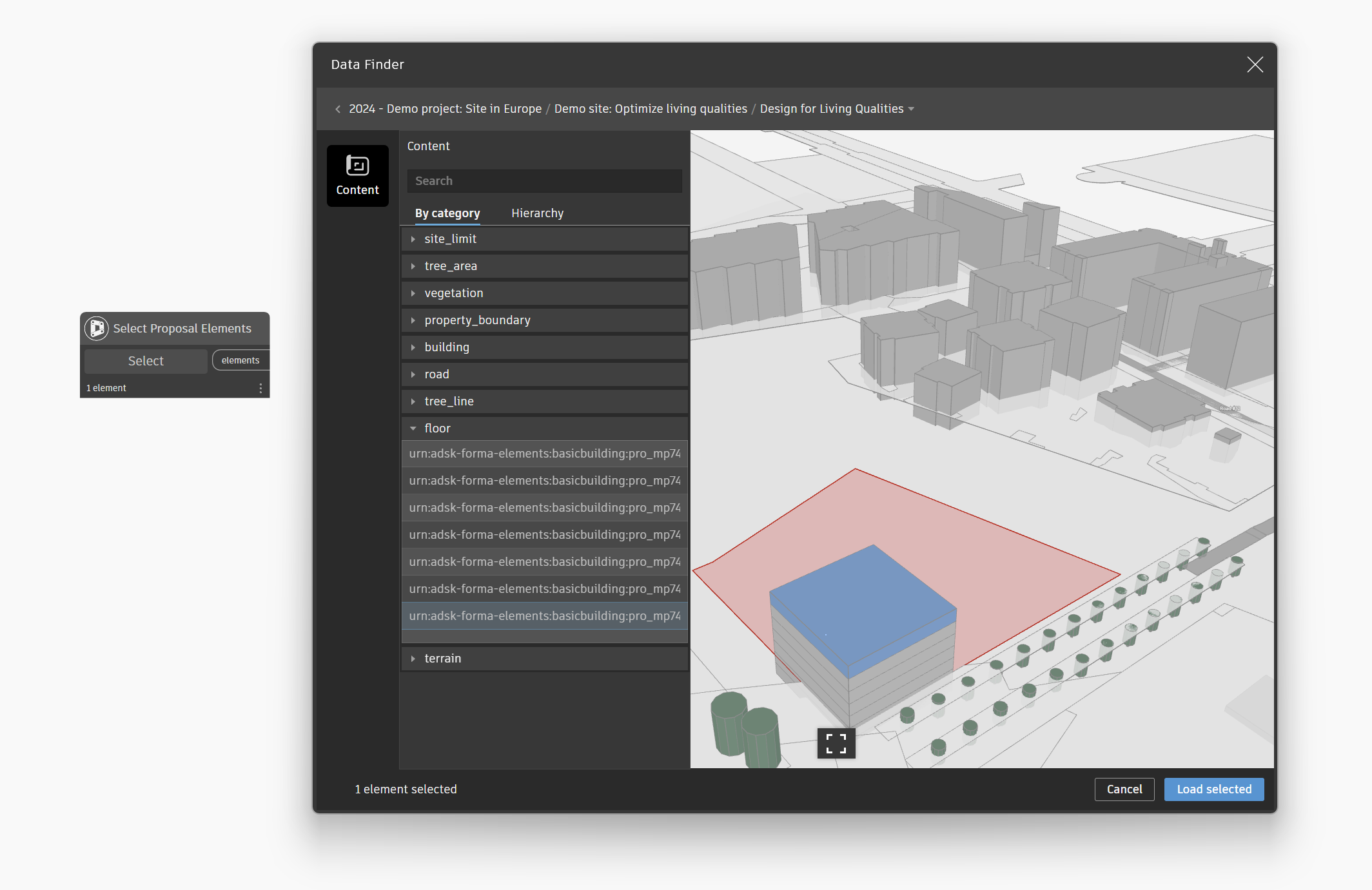
Use Ctrl + Click to add to your selection in the 3D Viewer
Future Roadmap
The Select Proposal Elements node significantly reduces the contextual knowledge required to work with Forma nodes. It eliminates the need to juggle between between Forma and Dynamo environments and minimizes the number of nodes you need in Dynamo. This is part of a larger vision where the same workflow will be extended to other cloud environments such as Data Exchange and AEC Data Model. By simplifying the process today, we are building towards a future where Dynamo is one of the powerful platforms for managing data-driven workflows across multiple environments. In the future, we are considering improving this node by:
- Connecting it to multiple platforms (Data Exchange, AEC Data Model)
- Allowing rule-based filters
Conclusion
The Select Proposal Elements node is the first step toward a more unified and accessible data workflow in Dynamo. You can use it together with Select Site and Send To Forma Proposal nodes to get and send data to Forma without opening Forma. It also helps you:
- Stay in one environment,
- Reduce the learning curve, and
- Get prepared for future integrations
We would love to hear your feedback. Try out the new node, share your experience, and help us shape the next iteration. Your input will be key as we continue to evolve this workflow for the Dynamo community.
The Dynamo Team