Introduction
Dynamo player has been around for quite a while and has changed a bit over time. Initially introduced in Revit 2017, Dynamo player didn’t have the ability to modify inputs of your Dynamo graphs. Fast forward to today, and Dynamo player is better than ever. Not only has its visual appearance changed (thanks to ongoing development with Generative Design), it is generally a better user experience overall. With the introduction of Dynamo 2.13 and the visual refresh project, Dynamo player has changed quite a bit since its inception. In this post and video tutorial, we aim to introduce these changes in a way that helps users of all levels.
Visual Style
With Dynamo 2.12, we received graph properties. Graph properties are serialized in the Dynamo file and include, graph thumbnails, descriptions, author, URL and other user-defined properties. These properties initially seemed to only be in Dynamo, but they do inform how Dynamo player looks and feels and Generative Design! For an overview of graph properties, check out the video here: Dynamo 2.12 New Feature – Graph Properties and on DanamoBIM – Dynamo Shorts – Ep014 – Preference Extension!

Input Descriptions
Input descriptions are also now supported and have been made possible with the new “pinned notes” feature introduced in Dynamo 2.13.
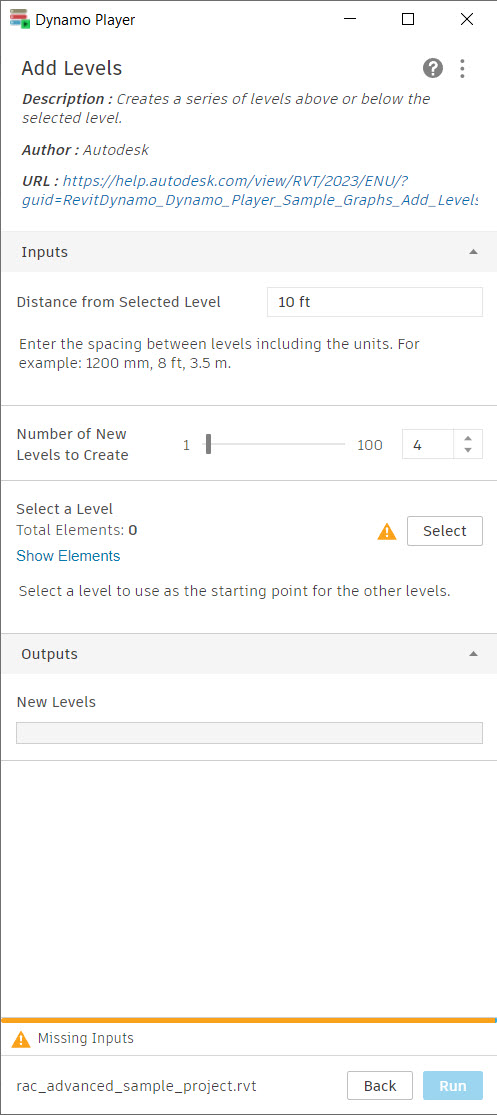 |
 this pinned note makes the description in Dynamo player on the left possible |
All of the new changes in Dynamo player are very exciting and simply covering them in a post doesn’t do them complete justice, so we also have a full introductory video below.
Video Overview
Sample Files
Sample files are available here: Random Planting Placement