Introduction
We are happy to announce that Dynamo 3.0 will run on top of the .NET 8 framework. Dynamo is taking this important step to keep up to date with the major evolution of the .NET.
.NET represents the unified successor of the various .NET frameworks and platforms: .NET Framework, .NET Standard, .NET Core, and Mono. In contrast to the old .NET 4.8 technology, .NET 8 is a more modern, cross-platform, and open-source framework.
Autodesk software suite is planning a migration to .NET 8, and it’s essential for Dynamo to maintain integration with the other software products.
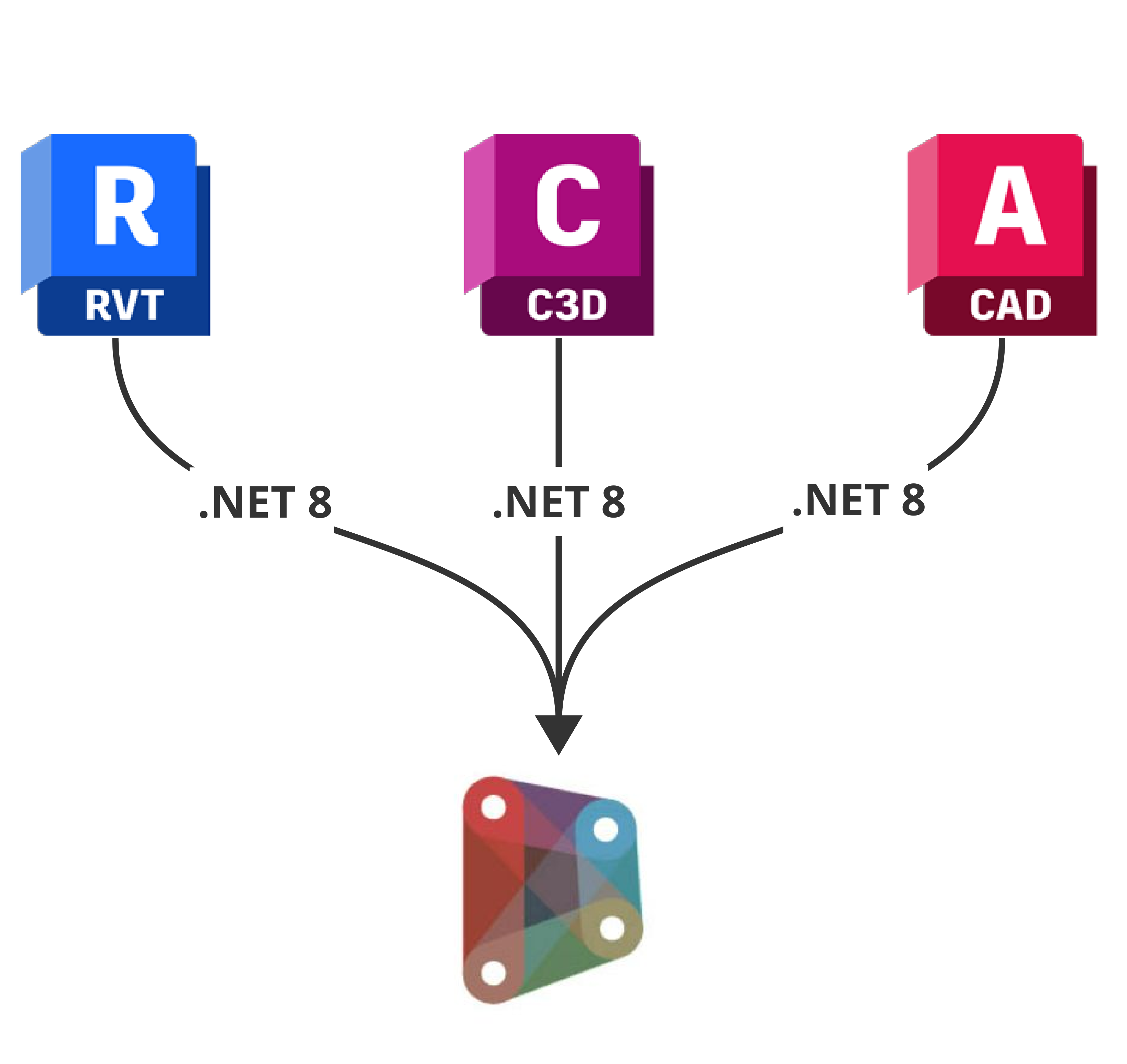
Transition to .NET 8
The transition to .NET 8 will allow Dynamo to take advantage of the latest improvements from the .NET community, including improved performance and stability. While these improvements are not fully incorporated into Dynamo, this transition opens up the possibility for new features that were previously unattainable.

With .NET 8, Dynamo will have new features
In this blog post, we will focus more on the technical aspects of what this transition means for Dynamo package users and authors.
Overview of the Changes
As the Dynamo community embarks on a significant transition from .NET 4.8 to .NET 8, it’s clear that this move is more than just a step forward—it’s a leap towards embracing the future of technology. This transition is not only about keeping pace with advancements but also about unlocking a myriad of benefits that promise to redefine the way we interact with Dynamo. From compatibility with the latest tools to performance enhancements and streamlined coding processes, the shift to .NET 8 is set to elevate the Dynamo experience to new heights.

Changes with Dynamo 3.0
Will my package be affected?
The Dynamo migration to .NET 8 will most likely affect packages that use .NET 4.8 framework (or older) assemblies. There’s a small chance that some packages will still work without having to migrate (depending on what .NET APIs were used), but there is no guarantee of compatibility. If your package is already somewhere in between .NET 4.8 and .NET 8 (for example on .NET 6) compatibility has a higher chance of success, but it is still not guaranteed. Our recommendation is that packages should be on the same versions of .NET that Dynamo is targeting.

Compatibility could also be affected by package dependencies. If a dependency has not yet been migrated to .NET 8, it may cause compatibility issues when installing your package. An example that would fall in this category would be custom nodes that depend on outdated Dynamo packages. If your package has dependencies on other Dynamo packages that are not compatible with .NET 8, there are some options you could explore:
- Reach out to the package maintainer to address the migration. The Dynamo team will also contact all package maintainers to notify if any of their packages need to migrate.
- Replace the dependency with a package that has already been migrated or with your own implementation, if possible.
- Run the incompatible code (that has the dependency) in a separate process. This might be highly technical, but it would isolate the offending code from Dynamo.
A special mention for packages containing .NET assemblies that target .NETStandard 2.0 (or older .NETStandard versions): These will be compatible with .NET8 and additionally will still be compatible with .NET 4.8 without any need to migrate them. .NET 4.8 framework and all new .NET framework versions (like .NET 8) are based on .NETStandard 2.0, so compatibility is assured. The pros and cons of using .NETStandard as a target are covered in the migration steps below and in the FAQ section.
How to upgrade my existing package to Dynamo 3.0
To ensure your package will continue to run smoothly in Dynamo after version 3.0 is released, you will need to migrate it to .NET 8 (or netstandard 2.0 if possible). Before the migration can start, package authors will have to do some groundwork. Most of this prep work can be done (or at least started) by using the Upgrade Assistant from Microsoft.

.NET 8 Upgrade Assistant can be installed from Extensions -> Manage Extensions command in Visual Studio
This tool can migrate your projects to the new format and also look for any .NET 8 incompatible dependencies. There is also comprehensive documentation on how to create a migration plan written in the Microsoft docs.
Here are the basic steps you should take to get your project .NET 8 compatible:
1. Use PackageReference format
Remove any packages.config files in your project and convert all references from your .csproj files to the PackageReference format.

How to use PackageReference format
2. Convert your projects to the SDK-style format.

SDK Style
3. Update dependencies
Update your project’s NuGet dependencies to first match Dynamo’s dependencies or to their latest available version.
If the package has a common dependency with Dynamo, you need to make sure that the dependency versions do not conflict.
If a dependency conflict is found, Dynamo will show a warning message at startup and your package will probably not be loaded (or will be left in an error state).
Useful Tips
Dynamo’s dependencies can be found in the licensing information or by running the dotnet list package command on the Dynamo solution file. An example of generating a unique list of all Dynamo’s dependencies can be found here.
An example of how a conflict of dependencies can occur:
Lets take the case of Newtonsoft.Json (version 13.0.1), a very popular and widely used NuGet package, which happens to also be a dependency for Dynamo 3.0.
If a Dynamo package brings in Newtonsoft.Json with a version greater than 13.0.1, it will cause a dependency conflict and the package will most likely fail to load. This issue might be mitigated by using ALCs (assembly load contexts) to load packages in isolation; however, at the moment Dynamo has a very limited use of this technology for package loading (only a very few select packages are loaded using ALCs).
Note: When looking into NuGet replacements, please keep in mind that some .NET APIs might have been moved to dedicated NuGet packages or to other system assemblies. Also some NuGet packages might not be .NET 8 compatible yet.
4. Update the <TargetFramework> property
Choose to target either .NETStandard 2.0 or .NET 8.
For packages compatible with both .NET 4.8 (Dynamo 2.19) and .NET 8 (Dynamo 3.0):
Target .NETStandard2.0: <TargetFramework>netstandard2.0</TargetFramework>.
More on this can be found here.

Change TargetFramework to .NETStandard 2.0
For packages that do not need to run on Dynamo 2.19:
Target .NET 8 directly : <TargetFramework>net8.0</TargetFramework>.

Change TargetFramework to .NET 8.0
For packages already on a lower version of .NET (like .NET 6):
We still recommend that you migrate to the same .NET version that Dynamo is targeting, in order to ensure compatibility.
5. Add Windows API or WPF API support
For packages that are view extension:
Add references to the WPF APIs and/or Windows APIs. This can be done by adding <TargetFramework>net8-windows</TargetFramework> for Windows APIs access and <UseWPF>true<UseWPF> for WPF API access. Here is an example.

Add reference for WPF API and Windows API
Optional:
Use the <EnableDynamicLoading>true<EnableDynamicLoading/> property to ensure all required NuGet references (i.e., NuGet package assemblies) are copied to your output folder. More info on this property can be found here.

Ensure Nuget packages are copied
6. Ensure that Dynamo assemblies are not delivered with your packages
This can be done by using the ExcludeAssets = "Runtime" property in Dynamo package references. Packages in Dynamo follow a standard plugin model. This means that packages should not have any Dynamo assemblies in their package/bin folder. All Dynamo assemblies will already be loaded by Dynamo, so it would be redundant for packages to have them too.
Another example of unnecessary assemblies would be those from a Dynamo host application (like Revit, Civil 3D, or any other). Some Dynamo packages for Revit might reference the RevitAPI.dll and RevitAPIUI.dll. These should not be delivered with your package because they will already be loaded by Revit.

For not delivering Dynamo assemblies with your packages
Summary
Here is a flowchart to explain the process step by step.

How to create a new Dynamo package
For those starting out with new packages, please be mindful of what version of Dynamo you are targeting:
- Older versions (2.19 or bellow) require .NET 4.8.
- Newer version (3.0 or above) require .NET 8 or above (please check what version of .NET is used by the Dynamo version you wish to target)
- For multi-targeting (Dynamo 2.19 and Dynamo 3.0), please see the below section on multitargeting.
Here are some examples on how to start out from scratch:
- Create an extension for Dynamo: https://github.com/DynamoDS/DynamoSamples/tree/3.1.0/src/SampleExtension
- Create a sample UI library for Dynamo: https://github.com/DynamoDS/DynamoSamples/tree/3.1.0/src/SampleLibraryUI
- Create a sample zero touch library (a library that does not reference any Dynamo APIs): https://github.com/DynamoDS/DynamoSamples/tree/3.1.0/src/SampleLibraryZeroTouch
- Create a sample linter for Dynamo: https://github.com/DynamoDS/DynamoSamples/tree/3.1.0/src/SampleLinter
- Create a sample view extension for Dynamo: https://github.com/DynamoDS/DynamoSamples/tree/3.1.0/src/SampleViewExtension
More information on how to get started with creating Dynamo libraries can be found here:
https://primer2.dynamobim.org/6_custom_nodes_and_packages/6-2_packages
https://primer2.dynamobim.org/6_custom_nodes_and_packages/6-1_custom-nodes
https://github.com/DynamoDS/Dynamo/wiki/How-To-Create-Your-Own-Nodes
https://github.com/DynamoDS/Dynamo/wiki/Zero-Touch-Plugin-Development
https://github.com/DynamoDS/Dynamo/wiki/Building-a-Package-for-Dynamo-in-Visual-Studio
How to add tests for my Dynamo package
We recommend that all Dynamo packages implement some sort of automated tests. This would ensure that your packages do not break functionality/compatibility with the targeted Dynamo version.
To get started, please take a look at some of the examples we have put together:
https://github.com/DynamoDS/DynamoSamples/tree/3.1.0/src/SampleLibraryTests
https://github.com/DynamoDS/DSIronPython/tree/master/IronPythonTests
More on writing unit tests for Dynamo libraries can be found here:
https://github.com/DynamoDS/Dynamo/wiki/Writing-Unit-Test-Libraries-for-Dynamo
FAQ
How can I make my Dynamo package/extension run on both Revit 2024.2 and Revit 2025 (multitarget .NET 4.8 and .NET 8)?
For Dynamo 3.0 Only
If you plan to only support Dynamo 3.0 (and Revit 2025) going forward, you can just migrate your package to .NET 8 and update the supported engine to Dynamo 3.0. Revit 2024 (and Dynamo 2.19 or older) will still be able to download the old versions of your package (which will still be compatible).
For Both Dynamo 3.0 and 2.19
If you plan to keep updating your package for both Dynamo 2.19 (Revit 2024) and Dynamo 3.0 (Revit 2025):
Dynamo packages do not support multitargeting (.NET 4.8 and .NET 8 at the same time); also, Dynamo packages cannot receive updates for older versions (for example, if you have a package that has the versions 2.0.0 and 3.0.0, you will not be able to push an update for the version version 2.0.1).
Here are some solutions:
Option 1:
Try to migrate your package to .NETStandard 2.0. This might not be possible for some packages (that need Windows, WPF, or Dynamo APIs). However, if your package can target .NETStandard2.0, it will be compatible with both net48 and net8 and will run on both Dynamo 2.19 and Dynamo 3.0. .NETstandard is not as much a framework but an API specification, but it can be used as a target via <TargetFramework> in your C# project. More information on NETStandard can be found in the Microsoft docs.
The downside to .NETStandard2.0 is that it has a limited API layer (no Windows APIs, no WPF, etc.) and is not compatible with PackageReferences that target any other framework except NETStandard. An example of this limitation is that a package targeting netstandard2.0 would not be able to reference most Dynamo NuGets (because those already target .NET 8 or .NET 4.8). However, a working case would be for ZeroTouch libraries that do not use many Dynamo APIs. The only Dynamo NuGets that specifically target .NETStandard 2.0 are DynamoServices and ZeroTouchLibrary. More on getting stated with Dynamo zero touch libraries can be found on the Dynamo GitHub wiki.If, while targeting .NETStandard 2.0, you see build errors about missing APIs, then you probably need to target .NET 8 (with or without Windows and WPF support).
Option 2:
Duplicate your package and change the name: one for Dynamo 2.19 and one for Dynamo 3.0. The package for Dynamo 2.19 will target .NET 4.8 and only work on Dynamo 2.19. The package for Dynamo 3.0 will target .NET 8 and will work on Dynamo 3.0.
Option 3:
A more complicated solution is to create a simple entry point assembly (which should target .NET Standard 2.0). This will ensure it is loadable in both .NET 4.8 and .NET 8. Then, have the entry point assembly figure out which environment it is in (either by checking the .NET version or the Dynamo version). Based on the environment, it should download the correct package assemblies from the web:
* if on Dynamo 2.19 or older, download Package2.19 assemblies
* if on Dynamo 3.0 or newer, download Package 3.0 assemblies
Summary
Here is a flowchart to explain the solutions that you can follow step by step.

I am using Dynamo 2.19 on top of Revit 2024.2. Do I need to do anything?
The .NET 8 transition of Dynamo 3.0.0 will not impact Revit 2024.2 or Dynamo 2.19.x. All Dynamo packages (the specific versions of those packages) that used to work on 2024 will continue to work.
However, there might be issues with the newer versions of Dynamo packages. Once a package is migrated to .NET 8 (to support Dynamo 3.0), it will no longer load in older versions of Dynamo. For example, let’s consider the Dynamo package Rhythm:
- Rhythm@2023.8.7 loads with no problem in Revit 2024.2 with Dynamo 2.19.
- Let’s assume that the next version of Rhythm (e.g., 2025.0.0) is migrated to .NET 8 to support Revit 2025 and Dynamo 3.0.
- If you open up Revit 2024.2 with Dynamo 2.19 and try to install the latest version of Rhythm (2025.0.0), you will most likely get a warning at install time and errors at load time (because some .NET 8 library is not found).
This is a screenshot of what the warning looks like at package install time:

Warning message when a package with newer version of Dynamo is installed
Dynamo packages were not designed to support multitargeting (support both net8 and net48), and compatibility (or lack of it) is not communicated very well in the user interface.
I am using Dynamo 3.0 on top of Revit 2025. Do I need to do anything?
For Dynamo 3.0.0 users, whether sandbox or as part of other Autodesk software like Revit or Civil 3D, you should only keep in mind that some packages might not be migrated to .NET 8 yet. Some old packages (that target net48) might still work with Dynamo 3.0.0, but compatibility is not guaranteed. The best way to proceed is to check if the package you are trying to install supports your current Dynamo version.
More on this in the topic below.
How can I tell if a package is compatible with Revit 2024 (Dynamo 2.19) or Revit 2025 (Dynamo 3.0)?
At the moment, Dynamo does not explicitly show the .NET (or Dynamo version) compatibility for packages, and though we are working on getting this in a better state, for now let’s go over some alternative ways to get the same information. Some packages have the Dynamo version as part of the package description (this could be seen even on the dynamopackages.com website).
Another way to check if a package is compatible with your current version of Dynamo is to try to install it. If the package version is not compatible, you will see a warning message like so:
Warning message when a package with newer version of Dynamo is installed
However, this only works if the version of the package was built on a newer version of Dynamo than the one you are currently using.
A more convoluted way is to get the Dynamo version of the package directly from your browser. You can access the following link to get the Dynamo version information.
https://dynamopackages.com/package_version/dynamo/name/version
name should be the package name
version should be the package version
The response body should contain a field called engine_version. This represents the version of Dynamo that the package was built on. At the very least, the package should work on that version of Dynamo.
Here is an example of the url: https://dynamopackages.com/package_version/dynamo/archi-lab.net/2023.213.1722 with a truncated response: {"timestamp":1708458380283, "success":true,"id":"53e99ce50e5572016a00018a",.
"engine_version":"2.12.0.5740","name":"archi-lab.net"}}
If you use Dynamo 3.0 (or newer), any package that targets Dynamo 2.19 (or lower) is not guaranteed to work anymore. If you use Dynamo 2.19 (or older), any package that targets Dynamo 3.0 (or newer) will not work (but you will see a warning message at package install time).
We hope you enjoyed and found value in this content! We’re committed to continuous improvement and would love your input. When you have a moment, please help us by sharing your thoughts through this quick survey. Your feedback is invaluable and greatly appreciated!
Thanks – Dynamo Team