Hey Civil 3D users,
Hope you are enjoying the summer! It’s crazy to think that we’re already in August, with Autodesk University right around the corner. How the time flies…
Speaking of which, it’s already time for another Civil 3D release! The Civil 3D 2026.1 update is now live, and it is packed with goodies. There’s a new horizontal regression analysis tool for creating alignments from survey data, enhancements to the 3D Model Viewer, and a ton of new features in Autodesk Drainage Analysis for Civil 3D. You can read all about it in the Civil 3D 2026.1 release notes.
What about Dynamo? We’ve got you covered there, too! The big improvement in this release is the inclusion of in-depth documentation and sample files for all nodes in the Civil 3D section of the library. On top of that, we’ve also upgraded Dynamo to version 3.5, as well as made several smaller improvements and fixes.
To get all of this great new stuff right now, download and install the Civil 3D 2026.1 update using the Autodesk Access desktop app, or download it by signing in to your Autodesk account on manage.autodesk.com.
TL:DR
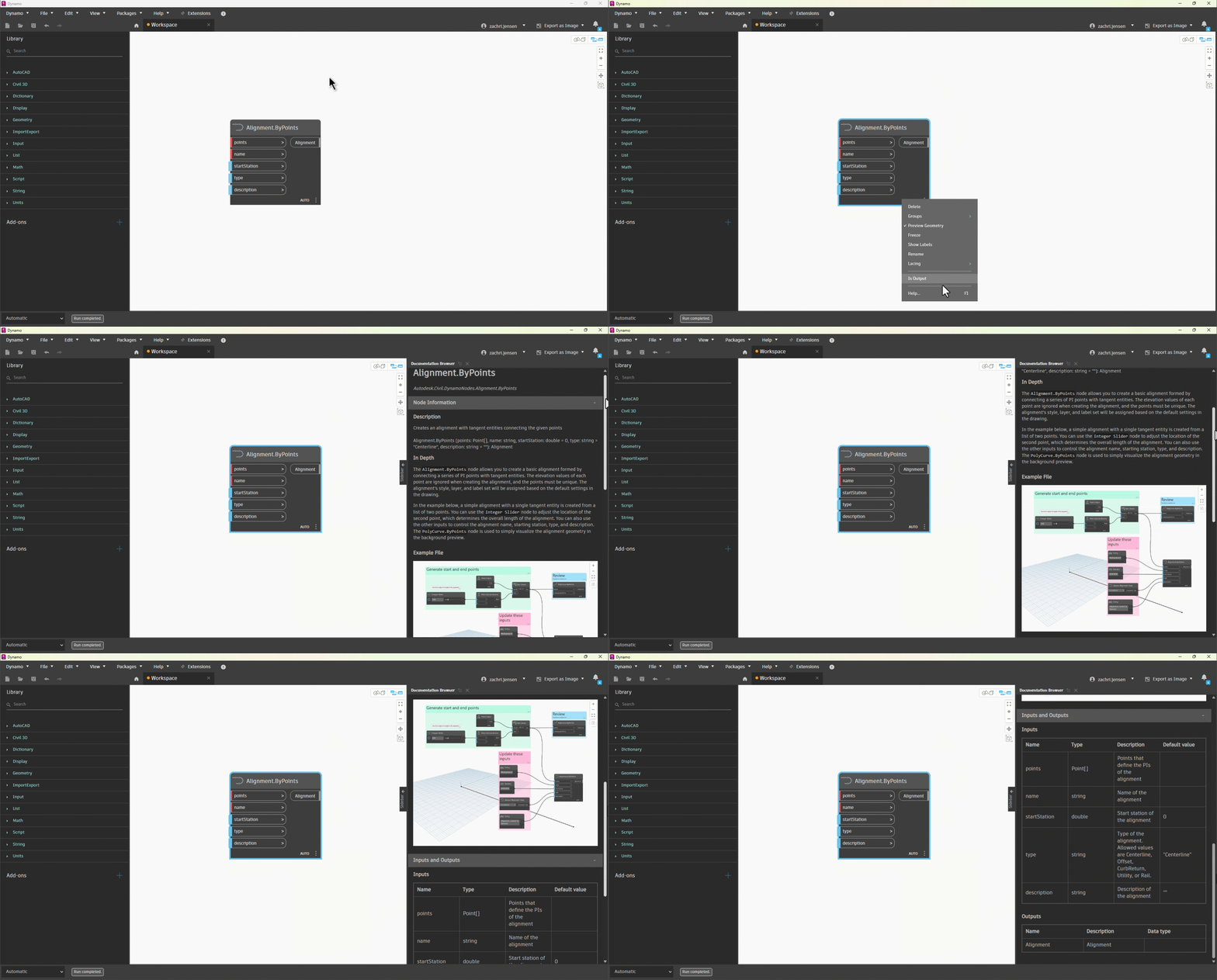
The Civil 3D 2026.1 update makes Dynamo easier to learn by adding in-depth documentation and sample files for nodes in the Civil 3D section of the library. To view this information, right-click on a node and then click Help…, or select the node and press F1.
Dynamo Core has been updated to version 3.5, bringing you a new package publishing experience; the new Curve Mapper node, with nine different curve types; new List.ReplaceItemAtIndices and List.GroupBySimilarity nodes for list manipulation; a trim boundary condition for paneling nodes, and more.
So, what’s dropping in Dynamo for Civil 3D 2026.1?
In-depth documentation for Civil 3D nodes
Dynamo’s Documentation Browser has been around for awhile now. It is your go-to spot when you want to learn more about what a particular node does. We’ve been on a journey to add content for all nodes, starting with the AutoCAD section of the library in the Civil 3D 2025.2 update. In this release, we’re completing the journey with a sweeping content update for all ~1000 nodes in the Civil 3D section of the library! This should go a long way to making Dynamo easier to learn for both beginner and advanced users.
As a refresher, you can view the help content for a node by simply right-clicking on the node and then clicking Help…, or selecting the node and pressing F1.
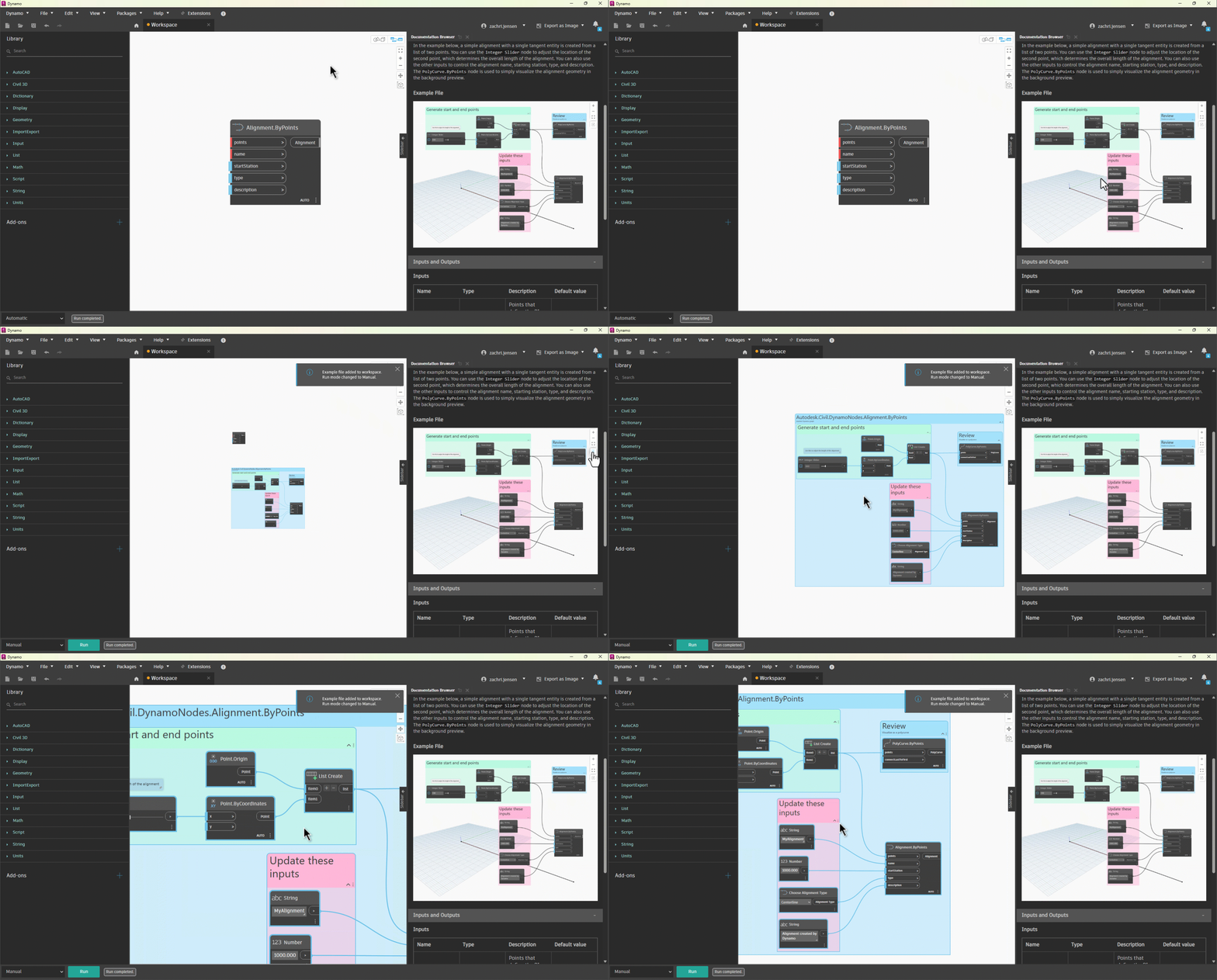
And don’t forget, you can also insert the example graph directly into your workspace!
Dynamo Core 3.5
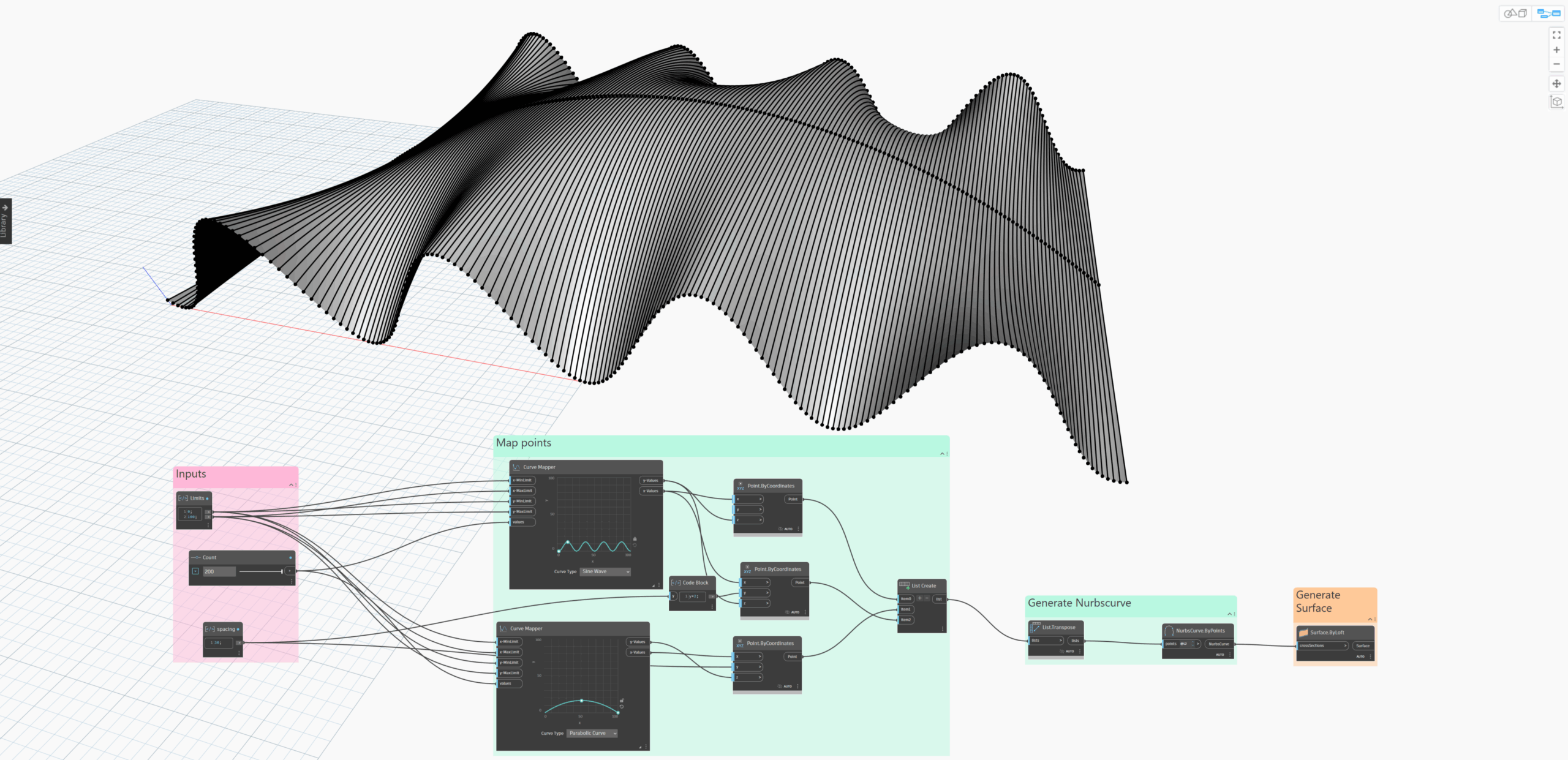
Besides the continual improvements that we’re making in Civil 3D, Dynamo Core is also advancing at the speed of greased lightning. Civil 3D 2026.1 includes Dynamo Core 3.5, which includes some lovely improvements to the package publishing experience and some highly-requested new nodes for managing lists. There is also a new Curve Mapper node that you can use to create complex geometry and patterns. We won’t repeat everything here, but please do check out the Dynamo 3.5 release post.
Smaller buckets of work
There are also a few smaller items that you should know about:
- There’s a new node called
Alignment.RenumberTagsnode that automatically renumbers all tags along an alignment according to their geometric order - The performance of the
FeatureLine.SetElevationsFromSurfaceandFeatureLine.SetPointElevationnodes have been significantly improved
Bug fixes
As always, we’re continuously working to improve the quality of Dynamo for Civil 3D, and we were able to fix several bugs in this release. Thanks again to those of you that brought these issues to our attention. It is greatly appreciated! If you notice something that seems off while using Dynamo, please don’t hesitate to let us know. Here’s a snapshot of the most important fixes in this release, and you can view the full list in the release notes.
- Fixed an issue where the
BaselineRegion.SetOffsetTargetFrequencynode would not set the correct value for offset target geometry points - Fixed an issue where the
Parcel.UserDefinedPropertiesnode would produce a warning when the UDPs of the parcel were used in a label expression - Fixed an issue where labeling nodes did not support child label styles
- Fixed an issue where the
CogoPoint.SetLabelStylenode would not allow for setting the label style to <default> - Fixed an issue where the
Block.Extentsnode would incorrectly return null when the block definition contained certain types of invalid geometry - Fixed an issue where the
Profile.BySurfaceandProfile.ByStationsElevationsnodes would return null when the profile object layer did not exist in the drawing
What’s next?
There are some very cool things in the works both for Dynamo and for Civil 3D. Be sure to stay tuned to the public roadmaps for both Civil Infrastructure and Dynamo Core, where you can take a look at current and upcoming work, express your support for features you want to see, and let us know what you think by adding a comment.
Stay cool, and see you soon at AU!
The Autodesk Civil Infrastructure Team