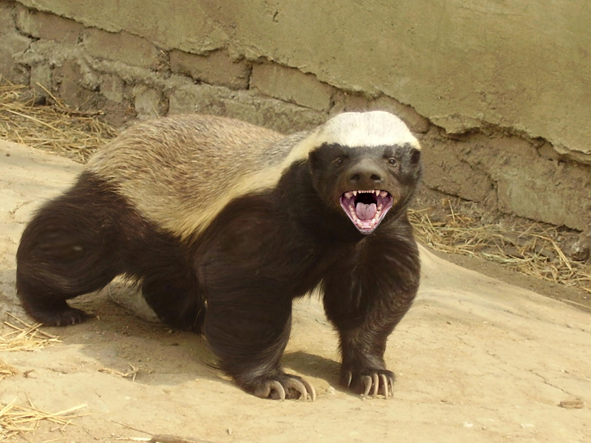
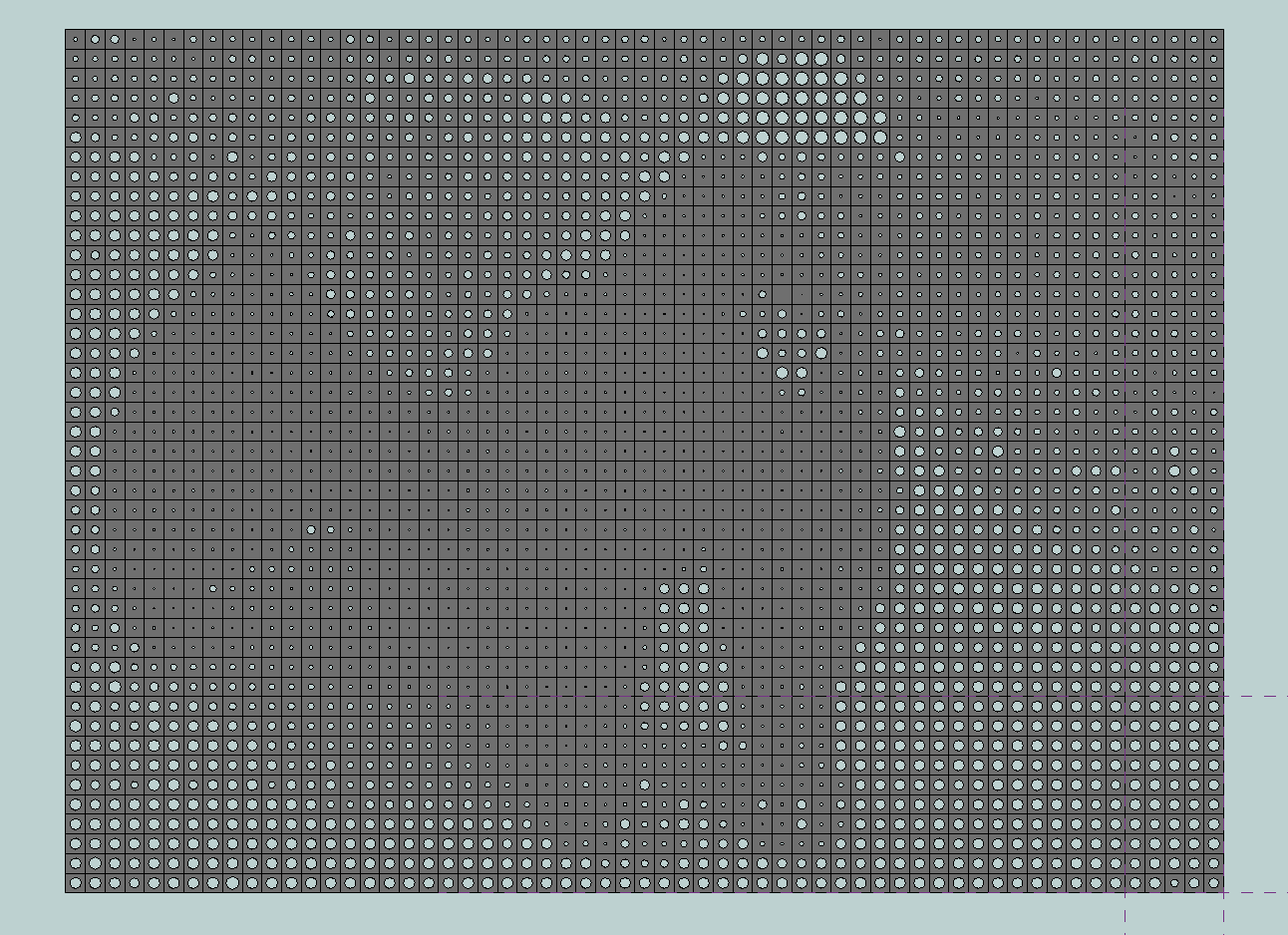
I added a couple of nodes this evening (available only in the source) that assist in the processing of image files. The image file reader node takes a file path as an input and some X and Y division values, returning an array of Color objects corresponding to the sample points in the image in X and Y. The color brightness node can then be used to determine the brightness of these Colors, returning a value between 0 and 1. Here’s an example that I made by creating a 2D array of an aperture tile, and setting the diameter of the tile’s aperture to a corresponding brightness value. There’s a bit of weirdness still based on the fact that bitmaps are stored bottom to top and the “cons” operation that I use internally to make a list out of the color samples naturally reverses the list as well, but that’ll get ironed out.
First the image that I used as a reference:
Then, the array of tiles:
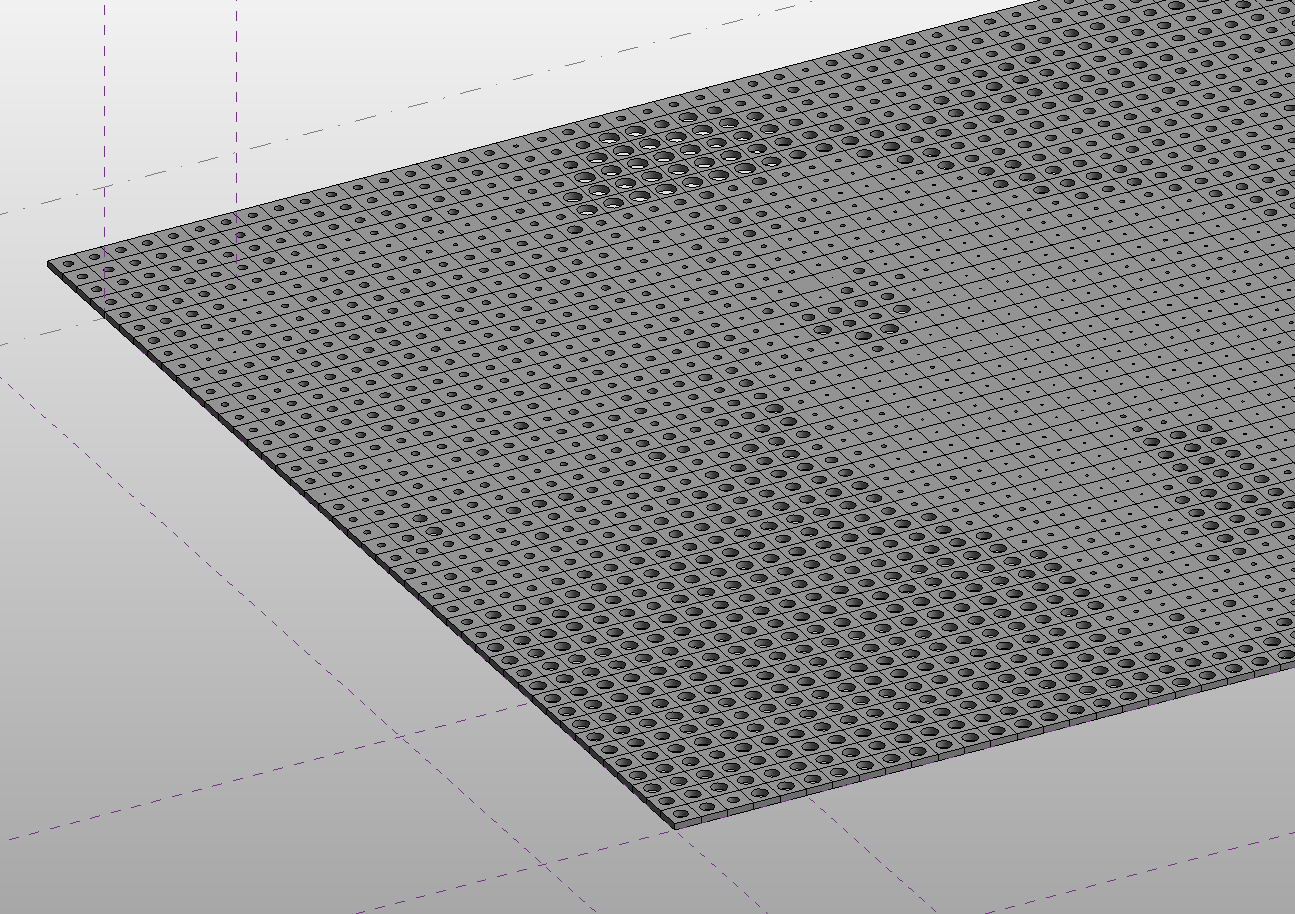
And a detail:
And finally, the workflow:
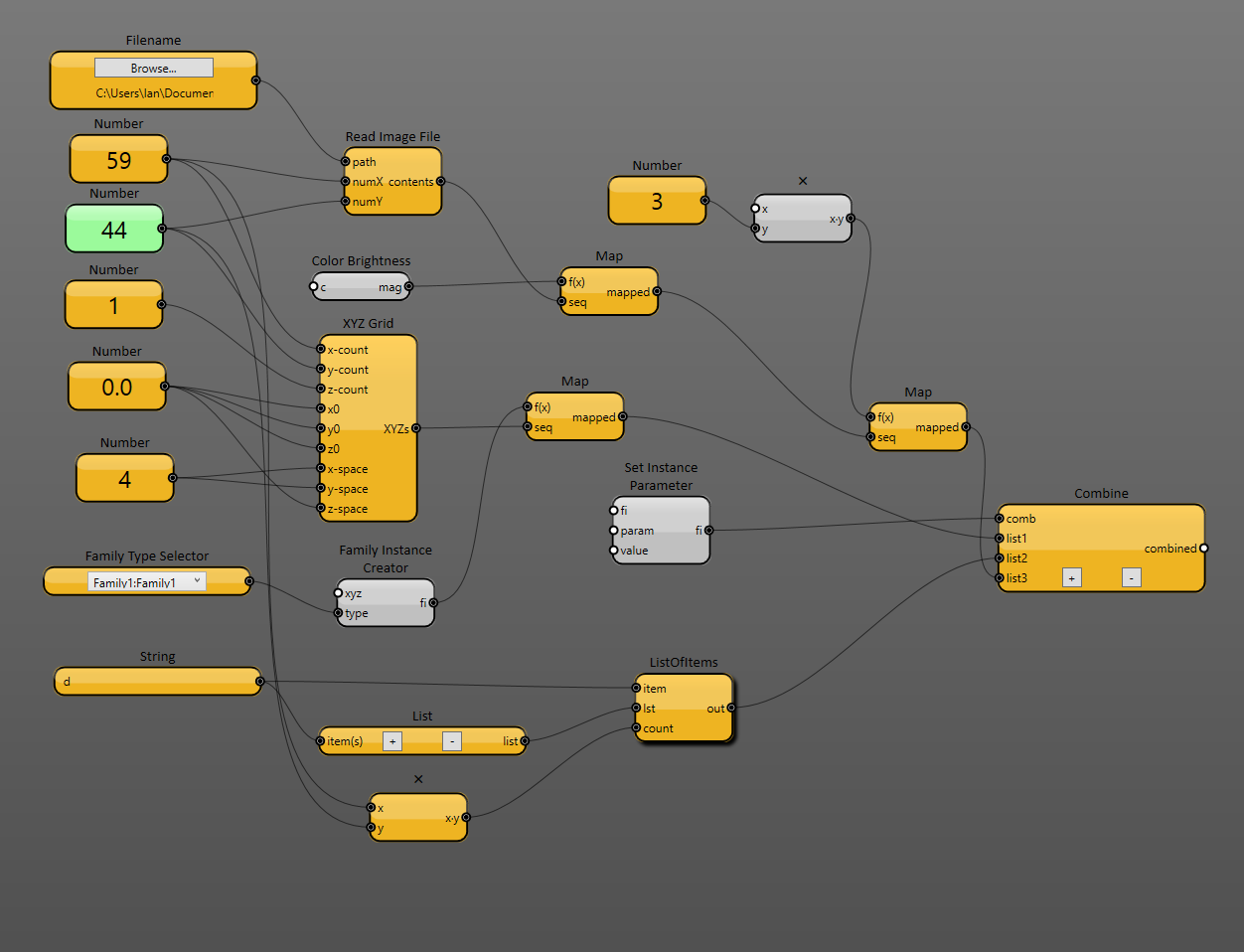
Notice the X and Y sample sizes for the Read Image File node were approximately 1/10 of the original pixel width and height of the image. This keeps things from getting squished. And the List Of Items user node simply creates a list containing the same number of “d” values as there are sample values for use by the Combine node. The Combine node is used to say “For each of the family instances in this list, find the d parameter and set it to the value from this other list.”
Now I need to get this working with adaptive components!