Hey Civil 3D users,
It’s hard to believe that 2025 is almost over! But before we launch off into next year, we wanted to close out 2025 by giving you a new release of Civil 3D to play with during the holidays. The Civil 3D 2026.2 update is now live, and it comes with a whole bunch of great new features to explore, including improvements to the Drainage Tools for Civil 3D, feature line editing, horizontal regression analysis, Project Explorer, alignments, and more. You can read all about it in the Civil 3D 2026.2 release notes.
And of course, there are lots of new features in Dynamo as well! Most notably, there are 75+ new nodes for drainage objects that enable workflow automation for ponds, channels, and underground storage. On top of that, we’ve also upgraded Dynamo to version 3.6, as well as made several smaller improvements and fixes.
To get all of this great new stuff right now, download and install the Civil 3D 2026.2 update using the Autodesk Access desktop app, or download it by signing in to your Autodesk account on manage.autodesk.com.
TL:DR
Dynamo for Civil 3D 2026.2 includes several groups of new nodes for stormwater control objects, which can be used to boost efficiency for drainage design and analysis workflows. The 75+ new nodes can be found under the “Drainage” section of the Civil 3D node library. These nodes enable you to automate workflows involving pond design, configuration of channel hydraulic parameters, storage curve analysis, and more.
Dynamo Core has been updated to version 3.6, bringing you a revamped and more discoverable Node Autocomplete experience, enhancements to groups, and bug fixes. In addition, it adds significant performance updates that are all about turbocharging your Dynamo navigation experience, making it faster and more responsive, thus minimizing your wait time.
So, what’s dropping in Dynamo for Civil 3D 2026.2?
Automation for drainage design
Have you heard about the new Drainage Tools for Civil 3D? This toolset is designed to integrate the drainage design environment of Civil 3D with analysis capabilities powered by InfoDrainage analysis cloud services, all without leaving Civil 3D. This enhances drainage design capabilities by providing new workflows for the design of ponds, underground storage facilities, and open channels, as well as improved catchment delineation with expanded runoff method support. Previously, the toolset has been available as a plugin that you could download and install separately. But now, the Drainage Tools for Civil 3D are included and installed with Civil 3D 2026.2 by default!
Not only do you get these great tools without a separate installation, but we’ve also added 75+ new nodes for drainage objects that enable workflow automation for ponds, channels, and underground storage. You can find these nodes under the “Drainage” shelf in the Civil 3D node library.
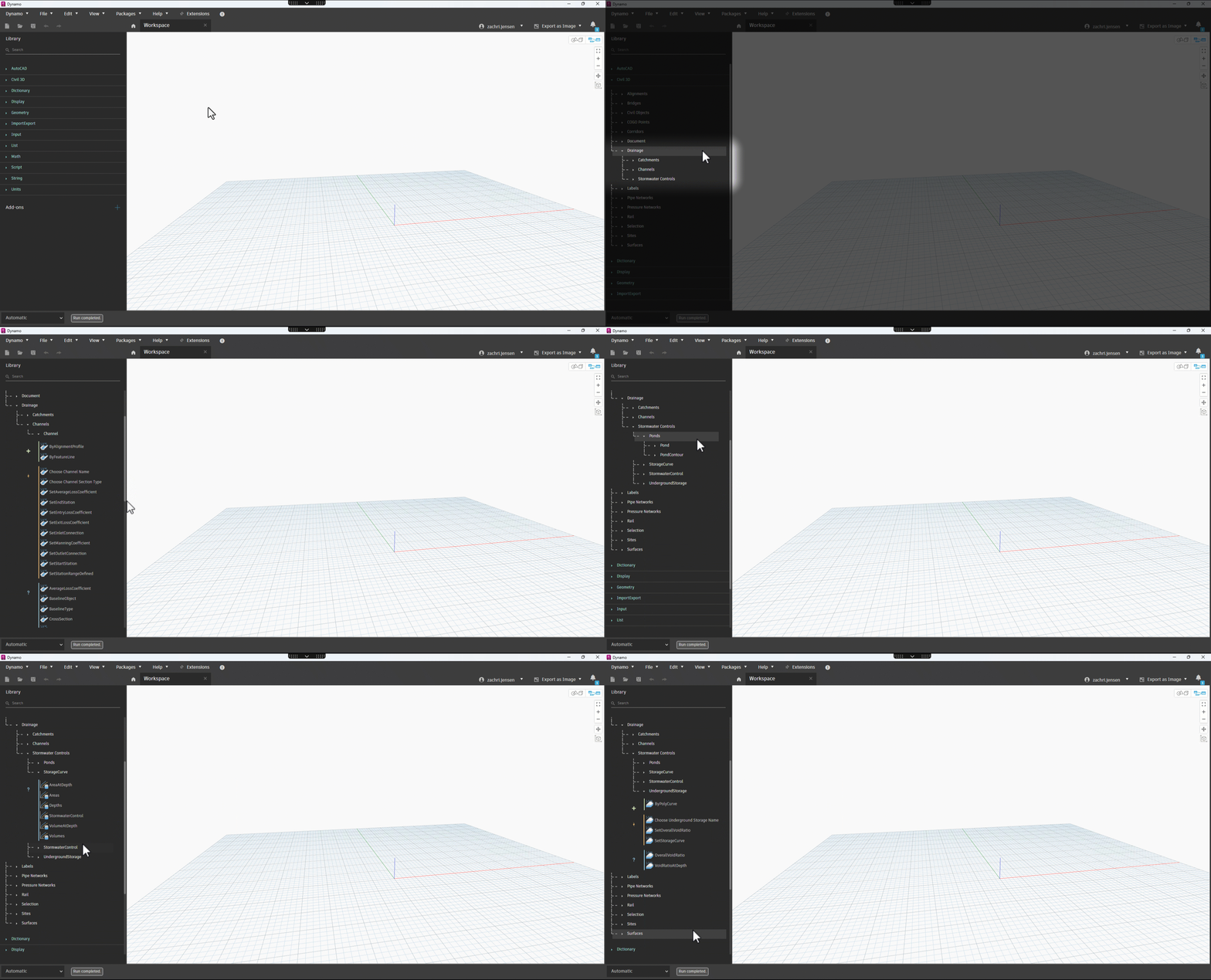
These nodes open up huge possibilities for automating drainage design workflows. For example:
- Automate storage facility design using the
Pond.ByContours,Pond.ByPolyCurve, andUndergroundStorage.ByPolyCurvenodes - Create open channels in bulk using the
Channel.ByAlignmentProfileandChannel.ByFeatureLinenodes - Configure hydraulic parameters like Manning’s coefficient, infiltration rates, channel entry and exit losses, and more
- Query storage curve data for stormwater control facilities
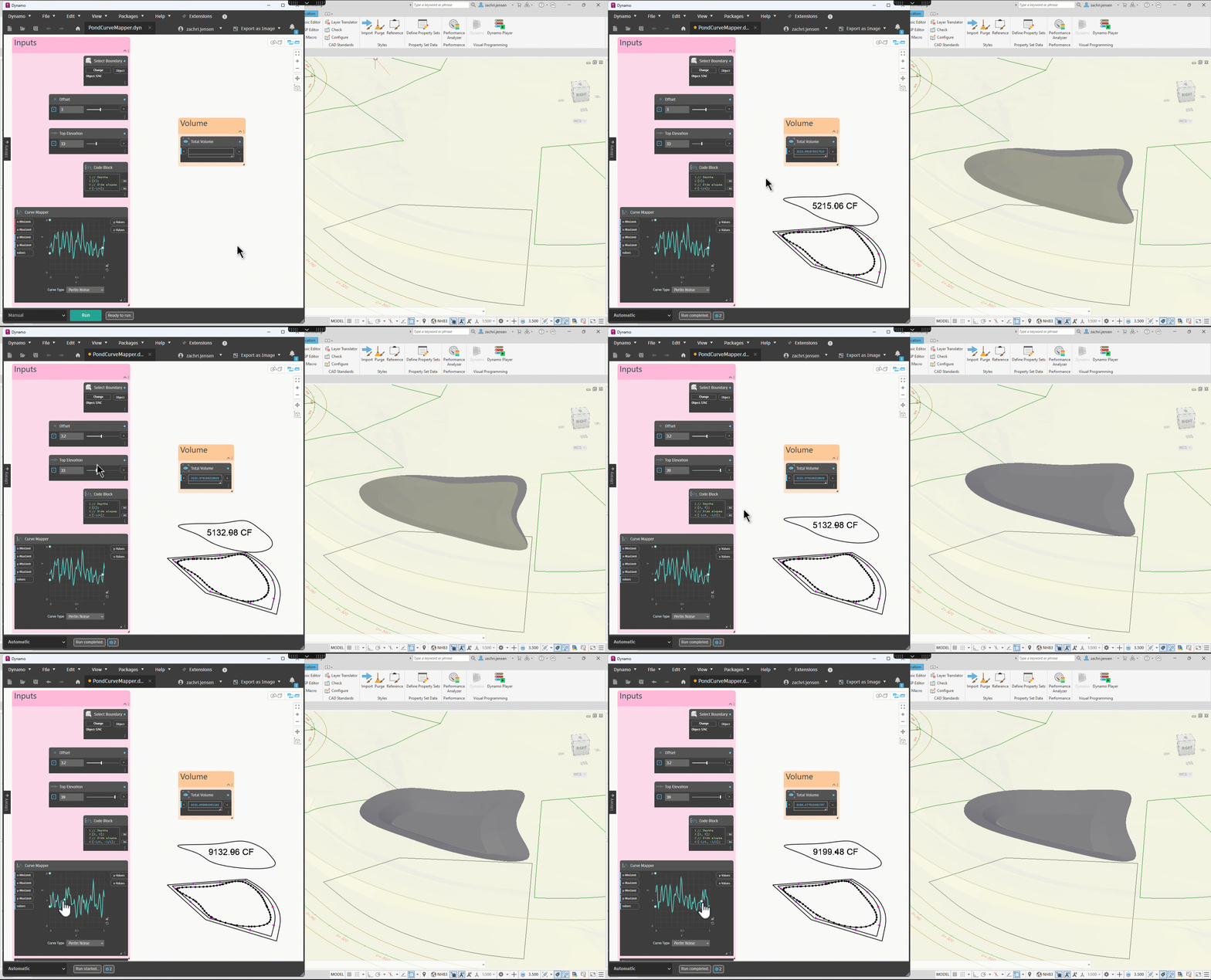
To give you a quick example of what you can do with these nodes, here’s an example of using the Curve Mapper node to experiment with different pond shapes that fit within a boundary. Super cool!
Dynamo Core 3.6
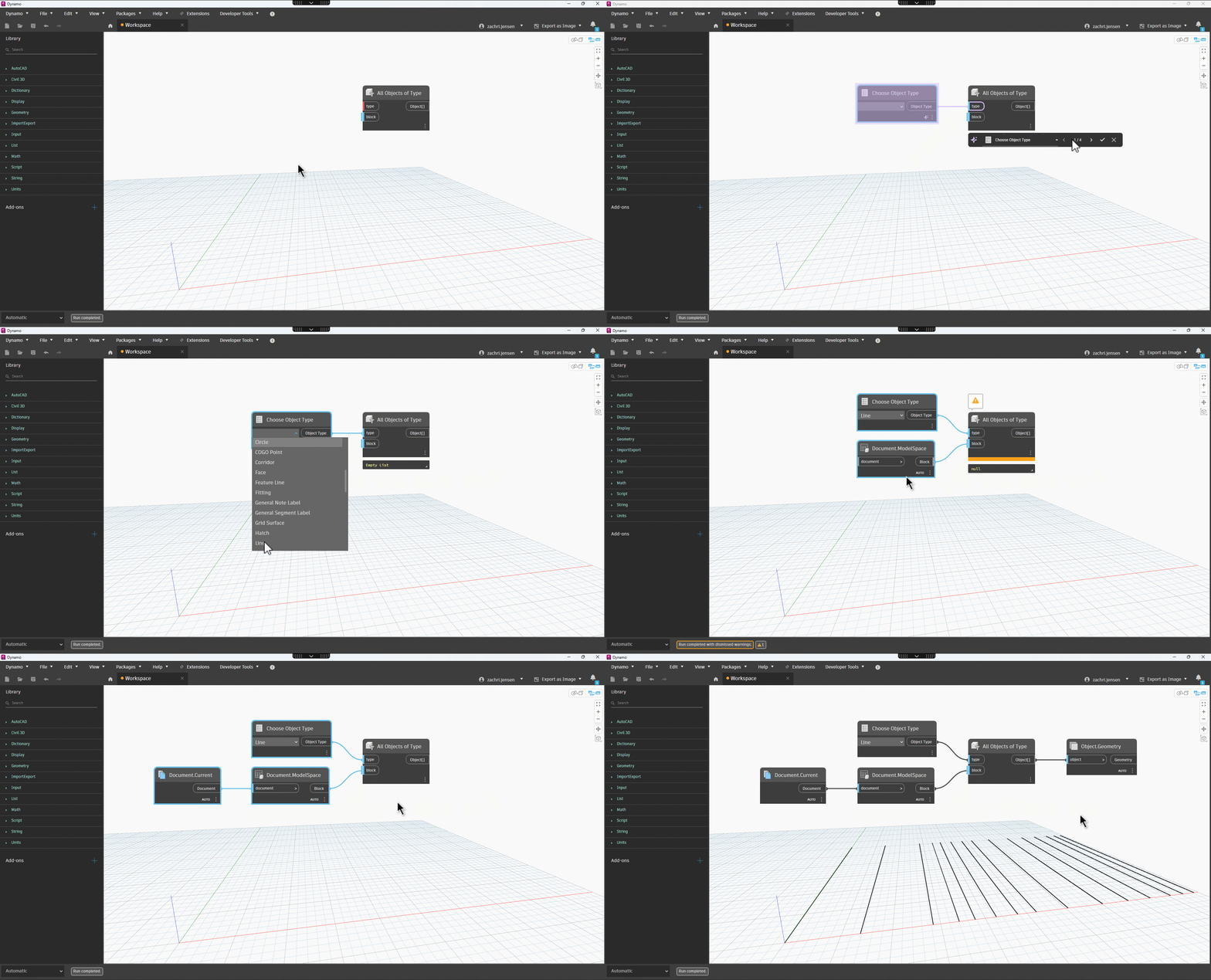
We’re continually making improvements to Civil 3D, and part of that work includes keeping Dynamo Core updated so you always have access to a fresh Dynamo release within Civil 3D. Civil 3D 2026.2 includes Dynamo Core 3.6, which introduces a completely revamped Node Autocomplete experience. By simply hovering over any port on a node, you’ll see a purple icon that triggers a new Node Autocomplete toolbar when clicked. Node Autocomplete is an efficiency-boosting feature that, similar to how text processing tools suggest the next word, offers several node suggestions to connect to your selected port. These machine learning-powered node suggestions have the potential to vastly speed up your graph-building workflow, minimizing the need to spend time searching for the right node via trial and error.
In addition, Dynamo Core 3.6 includes enhancements to groups and significant performance updates that are all about turbocharging your Dynamo navigation experience, making it faster and more responsive, thus minimizing your wait time. We won’t repeat everything here, but please do check out the Dynamo 3.6 release post.
Smaller buckets of work
There are also a few smaller items related to catchments that you should know about:
- There’s a new node called
Catchment.SetRunoffMethodthat you can use to modify the runoff method of a catchment - We also added a few more dropdown nodes to make it easier to select things:
Choose Runoff MethodChoose Catchment Group NameChoose Catchment Name
Bug fixes
As always, we’re continuously working to improve the quality of Dynamo for Civil 3D, and we were able to fix a few bugs in this release. Thanks again to those of you that brought these issues to our attention. It is greatly appreciated! If you notice something that seems off while using Dynamo, please don’t hesitate to let us know.
Normally we just list out the bugs here, but this one deserves a little more attention. For those of you that have used Python nodes to interact directly with the AutoCAD and Civil 3D APIs, you’ve probably encountered cases where Dynamo would crash after making a simple spelling error or some other minor mistake. This was a longstanding bug that made for a not-so-great experience when experimenting with Python. The good news is that the issue has been fixed in this release! Apologies for the inconvenience, and we hope that your experience is much better moving forward.
Now for the rest of the bugs that we fixed:
- Fixed an issue in which the
PipeNetwork.ShortestPathBetweenPartsnode would returnPartobjects instead ofPipeandStructureobjects. - Fixed a stability issue when using Node Autocomplete.
- Fixed a stability issue that could occur with Python scripts with invalid API calls.
- Fixed an issue in which nodes for retrieving the reference surface of an object would return the wrong surface type.
What’s next?
There are some very cool things in the works both for Dynamo and for Civil 3D. Be sure to stay tuned to the public roadmaps for both Civil Infrastructure and Dynamo Core, where you can take a look at current and upcoming work, express your support for features you want to see, and let us know what you think by adding a comment.
Happy Holidays!
The Autodesk Civil Infrastructure Team