Hey Civil 3D users,
Spring is in the air, and you know what that means…a new release of Civil 3D! There are lots of really cool new features in Civil 3D 2026, like the Tech Preview of Autodesk Drainage Analysis, a new 3D model viewer, the ability to create partial surface references, and more. All of that is combined with the great new features in AutoCAD 2026 to form one epic release.
But it doesn’t stop there. Civil 3D 2026 also includes several enhancements to Dynamo to make it an even more capable tool for everyday automation. In this release, you’ll find a fleet of new nodes for catchments, feature line creation, and section view labeling. In addition, we’ve made improvements to predictive scripting with Node Autocomplete for AutoCAD nodes, as well as other small improvements and bug fixes.
For those of you upgrading from Civil 3D 2024 or earlier, you will also benefit from the massive improvements we made to Dynamo in Civil 3D 2025. If this is you, I recommend that you take a look at these blog posts from last year:
Ready to get all of this great new stuff right now? Download and install Civil 3D 2026 by signing in to your Autodesk account on manage.autodesk.com. Reading the rest of this blog post is a great way to pass the time while you wait for the download! 🙂
TL:DR
Civil 3D 2026 introduces new workflows for stormwater drainage engineers with the Tech Preview of Autodesk Drainage Analysis, and Dynamo provides a boost to these workflows with the addition of new nodes for catchments and flow paths. You can use these nodes to automate tasks like creating catchments and catchment groups, configuring hydraulic properties, defining flow paths, and more.
The new FeatureLine.ByPoints node enables you to automate the creation of feature lines for your grading models, and new nodes for section view labels give you more options for automating plan production workflows.
In addition, predictive scripting with Node Autocomplete has been significantly improved for the nodes in the AutoCAD section of the library. You can activate Node Autocomplete by double-clicking any node port.
Lastly, Dynamo Core has been updated to version 3.4, bringing you the improved TuneUp extension for monitoring graph performance as a built-in extension, the inclusion of Mesh Toolkit nodes into the main node library, package version compatibility information in Package Manager, PythonNet3 engine as a package, and more.
So, what’s dropping in Dynamo for Civil 3D 2026?
Power up Drainage Analysis with nodes for catchments
The Tech Preview for Autodesk Drainage Analysis gives a sneak peek at an upcoming toolset designed to integrate the drainage design environment of Civil 3D with InfoDrainage analysis services hosted in the cloud. This extension enhances drainage design capabilities by providing new workflows for the design of ponds, underground storage devices, and open channels, as well as improved catchment delineation with expanded runoff method support.
To complement this Tech Preview, we’ve added a brand new section to the node library with 72 new nodes for catchments and flow paths.
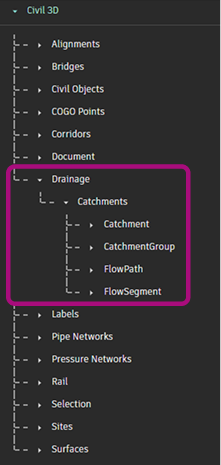
Here are some examples of workflows that you can automate with these nodes:
- Organize catchments using the
CatchmentGroup.ByNameandCatchment.SetCatchmentGroupnodes - Create new catchments using the
Catchment.ByPointsnode - Assign the reference structures for multiple catchments at a time using the
Catchment.SetReferencePipeNetworkStructurenode - Configure catchment hydraulic properties using nodes like
Catchment.SetTimeOfConcentrationandCatchment.SetRunoffCoefficient - Define catchment flow paths and flow segments using the
Catchment.SetFlowPathnode - Adjust flow path segment data using nodes like
FlowSegment.SetSlopeandFlowSegment.SetSurfaceType
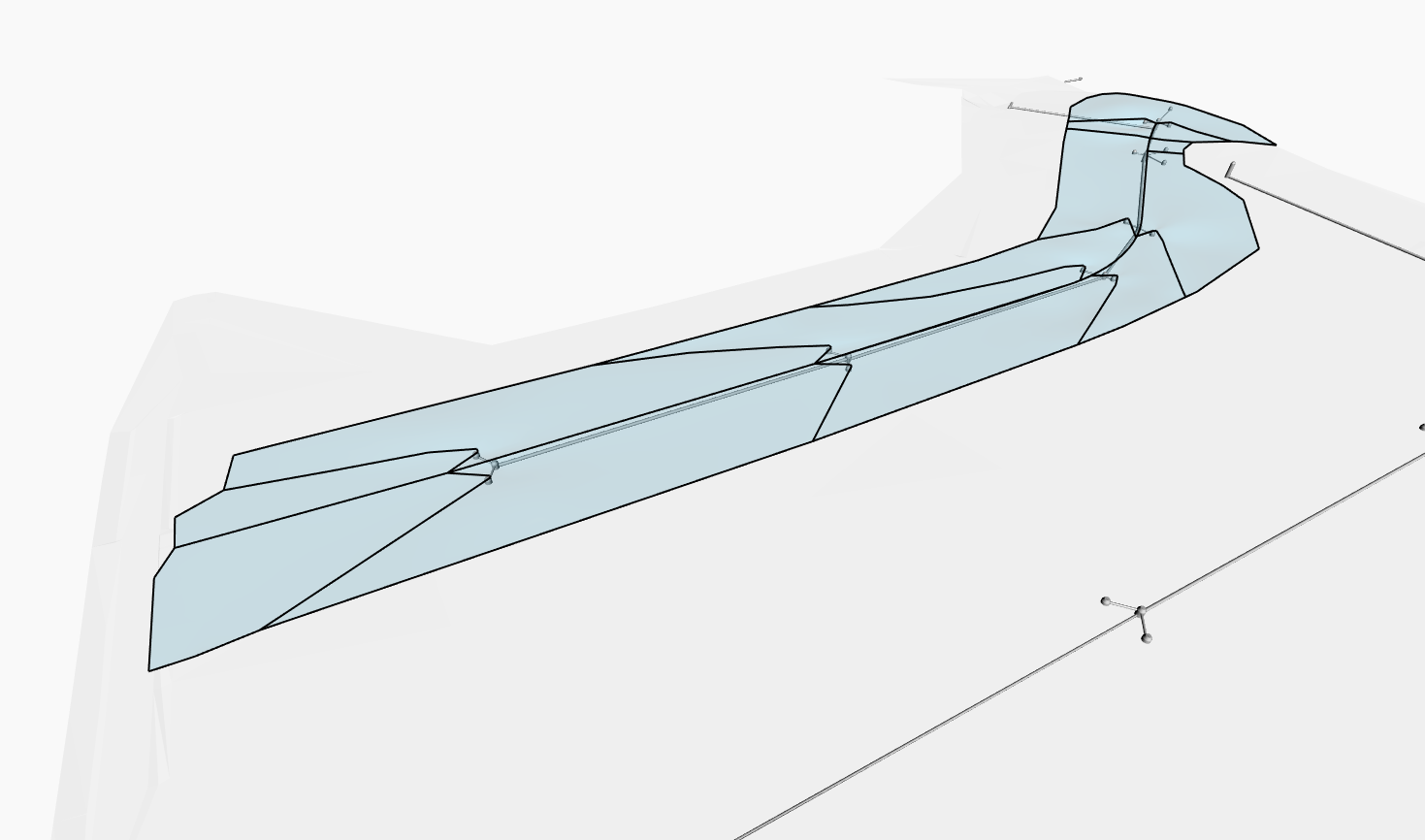
Automate feature line creation
We did a lot of work in the Civil 3D 2025.1 update to give you nodes for querying and modifying feature lines. We’re continuing on in this release by introducing a new FeatureLine.ByPoints node for creating feature lines. You can use this node to create basic feature lines with PIs defined by a list of Dynamo points.
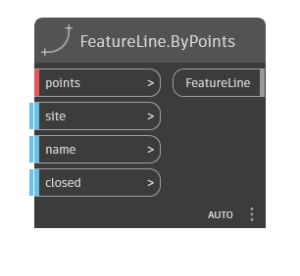
While this node doesn’t support creating feature lines with curves, there are still a lot of ways you can use it! For example, you could use it to automate the grading of things like retaining walls, curb ramps, driveways, etc.
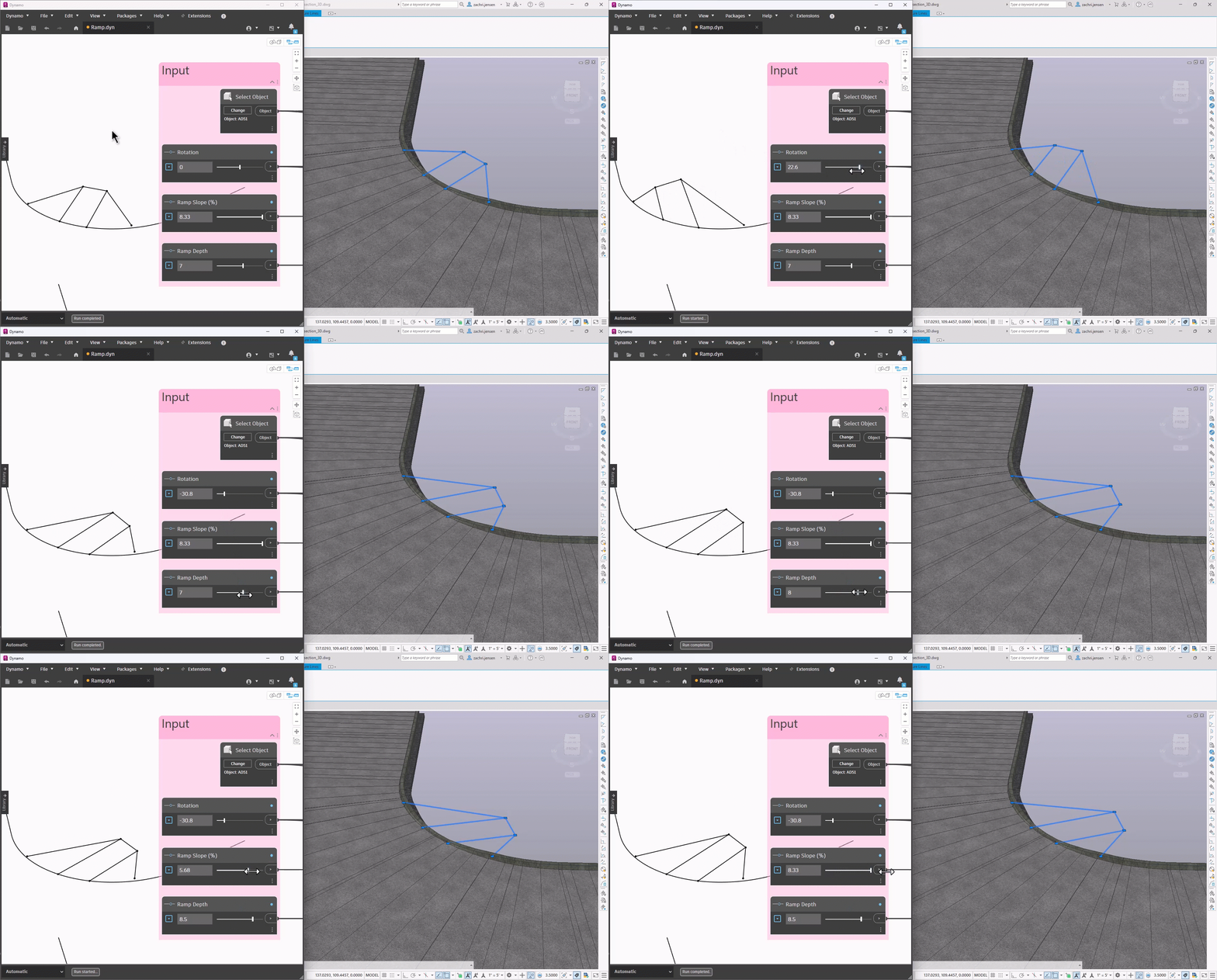
FeatureLine.ByPoints nodeSpeed up section view labeling
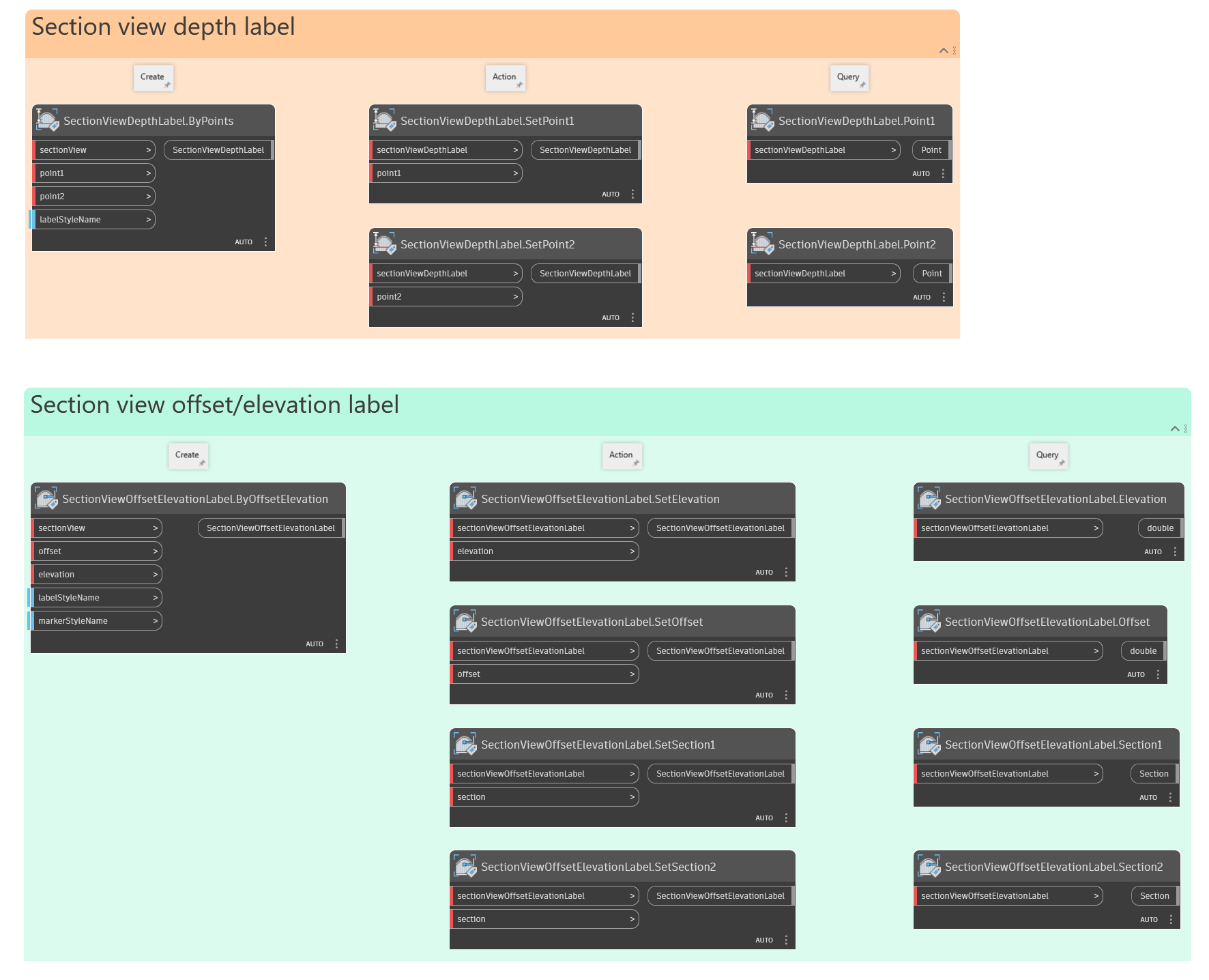
In the Civil 3D 2025.2 update, we introduced a collection of nodes for labels to help with automating plan production workflows. In this release, section views have joined the party with 14 new nodes for section view depth and offset/elevation labels. These nodes are very similar to their counterparts for profile views, enabling you to do many of the same labeling tasks with section views.
Node Autocomplete for AutoCAD nodes
Have you used the Node Autocomplete feature in Dynamo? If not, now is the time to start trying it out! In this release, the prediction results have been improved for nodes in the AutoCAD section of the library.
In a nutshell, Node Autocomplete intelligently recommends which node you should use next. This machine learning-based prediction is continually trained using data from real-world Dynamo graphs, which means that the predictions will get better and better over time. You can activate Node Autocomplete by double-clicking any node port.
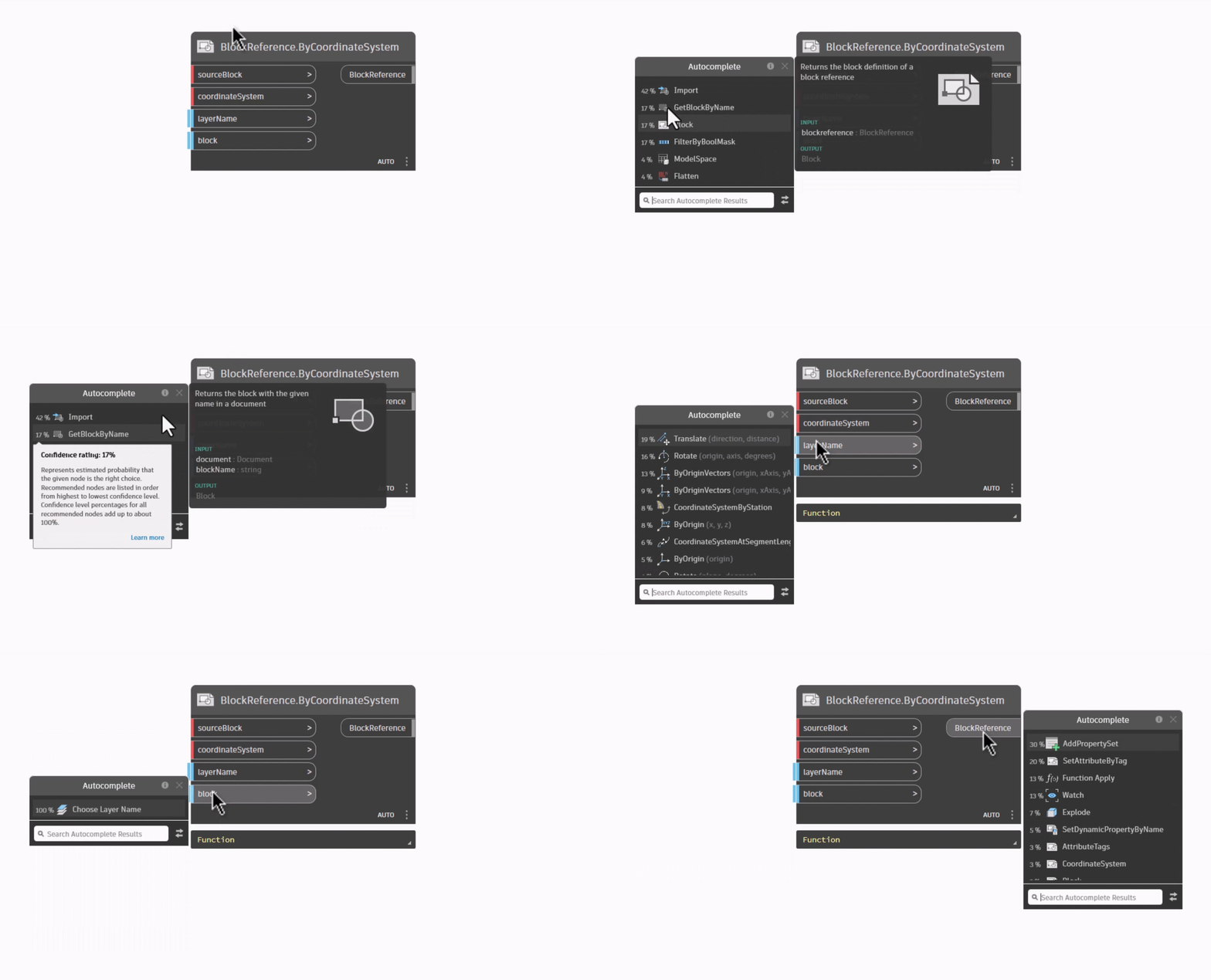
BlockReference.ByCoordinateSystem nodeIn time, the prediction results will expand to cover every node in the library. For now, give it a try with the AutoCAD nodes and let us know your feedback.
Smaller buckets of work
That covers it for the “big stuff”. In addition to that, there is also some “little stuff” to be aware of:
- Any type of label can now be queried and modified using the nodes in the
Labelcategory - “Profile View Depth Label” is now included as an option in the
Choose Object Typedrop-down node - The
CogoPoint.SetStylenode now supports setting the style to<default> - Providing a null input to the
Pipe.SetStructuresnode will disconnect a pipe from its start or end structures
Bug fixes
We’re always working to improve the quality of Dynamo for Civil 3D, and we were able to fix several bugs in this release. Many of them were brought to our attention by eagle-eyed users in the community, which is greatly appreciated! If you notice something that seems off while using Dynamo, please don’t hesitate to let us know: the hardest bugs to fix are the ones we don’t know about. Here’s a snapshot of the most important fixes in this release, and you can view the full list in the release notes.
- Fixed an issue in which True/False property definitions created with the
PropertySetDefinition.AddManualPropertyDefinitionnode caused Civil 3D to hang when accessed by the Style Manager dialog - Fixed an issue in which the
PropertySetDefinition.AddManualPropertyDefinitionnode did not set the correct default value based on the property data type - Fixed an issue in which list definitions created using the
PropertySetDefinition.AddManualPropertyDefinitionnode would not have the correct default value - Fixed an issue in which the
PropertySetDefinition.AddAutomaticPropertyDefinitionnode would not correctly set the automatic property source - Fixed an issue in which the
Viewport.TargetPointnode would incorrectly return the origin in certain cases - Fixed issues in which the
Viewport.PaperToModelTransformandViewport.ModelToPaperTransformnodes would return incorrect coordinate systems in certain cases - Fixed issues in which the
Viewport.PointFromPaperToModelandViewport.PointFromModelToPapernodes would return incorrect points in certain cases
What’s next?
This is the beginning of an exciting year for Dynamo! Be sure to stay tuned to the public roadmaps for both Civil Infrastructure and Dynamo Core, where you can take a look at current and upcoming work, express your support for features you want to see, and let us know what you think by adding a comment.
Onward and upward! 🚀
The Autodesk Civil Infrastructure Team