Summary
With advancing technology, we see the widespread use of Machine Learning in almost all industries. But can a vector-based numerical design program work with ML? The answer to this question is a definite “Yes, it can.” The “Shapely geometry” package not only allows users to manipulate 2D geometries but also integrates seamlessly with ML. In other words, the “Shapely” package comes equipped with ML capabilities, making it more functional and significantly expanding its processing capacity.
But how does Shapely do that with ML?
In order to work with ML, you do need Numpy. Unfortunately, you cannot directly use Dynamo geometries within an ML model. This is where « Shapely geometry » comes into play. It allows you to perform these operations directly using Numpy, making it a valuable tool for integrating geometry operations into your ML workflows.

Converting Dynamo geometry to Shapely geometry
Meaning, we need to first convert any 2D geometry into « Shapely geometry » and then into ‘Numpy’ data. Don’t worry, we don’t lose any data during all these conversions. In summary, we are transforming the geometry into another format without losing any data. This is truly a very functional and flexible data interchange.
So what awaits us after making our data ready for the model?
To utilize machine learning models, there are two different approaches:
- Enabling predictions with a pre-trained model using a dataset (Fast, simple, and sustainable) – Here’s an example dataset. A pre-trained model based on the dataset provides us with a list of potential Dynamo nodes that might be used in the given scenario when an example Dynamo node is provided to the model. In other words, it offers an ‘Autocomplete’ feature.

Pre-trained dataset example

Autocomplete feature
- I’m talking about creating the dataset within your scenario, which means training the ML model within the scenario (Slow, laborious, and one-time use). Here’s an example. In a scenario, the trained model is expected to predict which points in the example point list provided to the model are inside the circle and which ones are outside (Red: Points inside the circle, Blue: Points outside the circle). The dataset varies according to the list series specified by the user within the scenario and won’t be reused in another scenario.
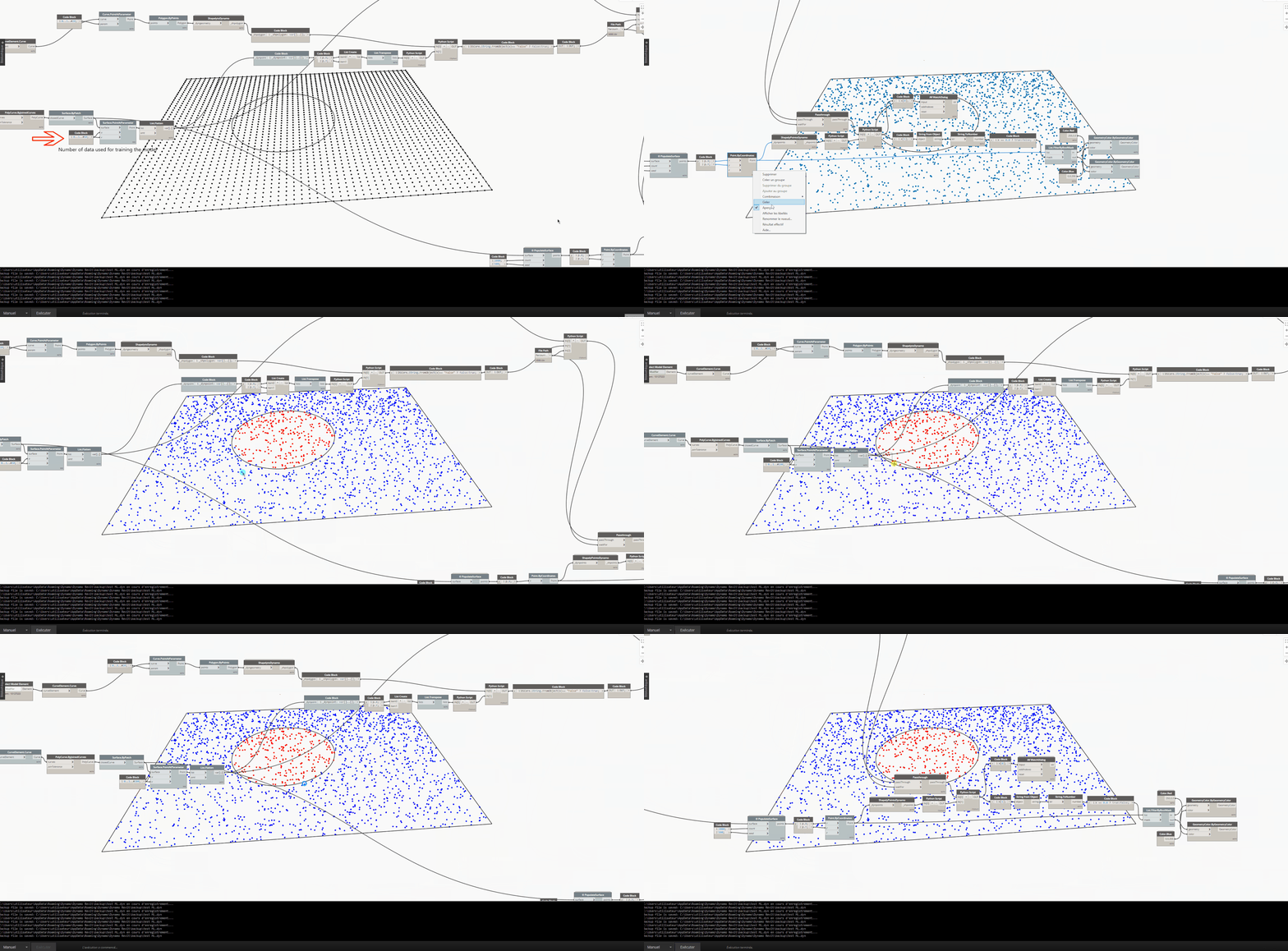
Using Shapely package to find all points within a circle
So the dataset is prepared and the model is ready for training. Which ML model should I use?
Unfortunately, there is no simple answer to this question. You must define your scenario carefully because a poorly chosen ML training model will not adapt well to your scenario and will not provide a good and stable result. Here’s an example: An ML model trained on points on the surface of a CurtainWall, based on changes in direction, is expected to predict how the changes in direction on the surface of another wall should be classified for testing. Both ML training models (K-NN and DecisionTree) use the same dataset. However, after processing, the DecisionTree model presents us with 2 symmetrical groups, whereas the K-NN training model correctly predicts each group as expected. The reason for obtaining 2 different results here is entirely due to the design of the two training models. The K-NN training model always takes neighboring groups into account when making decisions, which is why it has adapted better to my scenario.

ML training model exploration
To understand machine learning training models well, you need to know that, in brief:
- Supervised Learning: You need a pre-existing dataset. The ML model selected by the user makes predictions based on this dataset.
- Unsupervised Learning: You don’t need a pre-existing dataset. The ML model selected by the user analyzes the data provided for predictions and determines its predictions based on this analysis.
- Reinforcement Learning: You don’t need a pre-existing dataset. The ML model selected by the user learns by continuously repeating the task specified by the agent, changing actions, and collecting rewards. In short, it learns from.

Machine Learning approaches
I have compiled various machine learning training models within the « Shapely » package. These are some of the fundamental training models and have been shared with users as open source. Of course, in future versions of the package, more machine learning training models will be included.
So, at the end of the day, with Dynamo, we can easily work on machine learning in our scenarios and have fun with it. In the office where I work, we have a lot of fun with this because we can classify, analyze, and perform data mining without using any parameters. With a well-trained model and the right scenario, we can design a floor plan in just a few seconds. Here’s an example: A curve or polycurve drawn by the user is analyzed using ShapelyBuffer with the specified width and line length. Then, a pre-trained machine learning training model predicts potential building typology (T1-T2-T3-T4, etc.) based on the analyzed data and assigns a color to each building typology group. This color scale is specified in the dataset. It does this while preserving circulation areas (elevator, stairs). – The scenario is produced according to the French NF standard.

Floor plan design in Shapely
Final
With Machine Learning, we can analyse, classify and data mine geometries almost without using any parameters, we can simply vectorsize very complex geometries and even use the generated datasets in other scenarios. In short, I am talking about using a tool with incredible processing capacity together with a computational design. All you need to do is to create a correctly selected training model, a suitable dataset and a simple scenario. To tell the truth, we have a lot of fun with this in the office where we work.
